


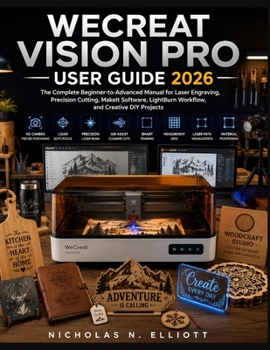
Wecreat Vision Pro User Guide 2026: The Complete Beginner-to-Advanced Manual for Laser Engraving, Precision Cutting, MakeIt Software, LightBurn Workfl

The Complete Beginner-to-Advanced Manual for Laser Engraving, Precision Cutting, MakeIt Software, LightBurn Workflow, and Creative DIY Projects
If you've recently purchased the WeCreat Vision Pro and are wondering where to begin, this comprehensive user manual is exactly what you need.
Have you ever felt overwhelmed by laser settings, software installation, material selection, or the countless online tutorials that leave out critical steps? You're not alone. Many new users struggle to move from unboxing their machine to producing professional-quality projects. This step-by-step user manual removes the confusion and guides you through every stage of the process with clear explanations, practical examples, and real-world projects.
Discover Everything You Need to Master the WeCreat Vision ProWhether you're a complete beginner, a DIY enthusiast, a hobbyist, a maker, an educator, or a small business owner, this user manual is designed to help you confidently unlock the full capabilities of your laser engraver.
Inside this practical guide, you'll learn how to:
Set up and assemble your WeCreat Vision Pro correctly from the very beginning.Understand every major machine component and how it works.Install, configure, and navigate the MakeIt software with confidence.Connect and optimize your workflow using LightBurn.Use the built-in HD camera for precise material positioning.Master LiDAR Auto Focus for consistent engraving accuracy.Choose the correct power, speed, and material settings for different projects.Engrave wood, acrylic, leather, slate, glass, paper, cardstock, and more.Create sharp photo engravings and professional-quality artwork.Produce clean precision cuts while reducing burns and charring.Use Air Assist and multi-pass cutting techniques effectively.Work with rotary attachments to engrave tumblers, bottles, and other cylindrical objects.Increase productivity with templates, jigs, and batch production workflows.Maintain your machine for long-lasting performance.Troubleshoot common engraving, focusing, camera, software, and firmware issues.Design personalized gifts, home d cor, business signage, and products to sell online.Develop better design habits and continue improving your laser engraving skills with confidence.Why This User Manual Is DifferentUnlike short quick-start guides or scattered online videos, this book provides a complete learning path that takes you from beginner to confident user. Each chapter builds naturally on the previous one, helping you understand not only how to perform each task but also why it matters. You'll avoid common mistakes, improve your workflow, and gain the confidence to create professional-quality projects from the very first engraving.
With detailed explanations, practical tips, troubleshooting advice, and real-world applications, this guide serves as a reliable reference you'll return to again and again as your skills continue to grow.
Take Your Creativity FurtherThe WeCreat Vision Pro is more than just a laser engraver-it's a powerful creative tool capable of producing personalized gifts, home d cor, custom signage, business products, and countless unique projects. This user manual will help you make the most of every feature while building the skills needed to create with precision and confidence.
Whether you're creating for yourself, your family, your customers, or your business, this comprehensive user manual will help you transform ideas into beautifully crafted projects-one successful engraving at a time.
Customer Reviews
ThriftBooks ® and the ThriftBooks ® logo are registered trademarks of Thrift Books Global, LLC
