


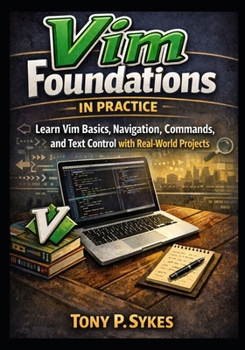
Vim Foundations in Practice: Learn Vim Basics, Navigation, Editing Commands, and Text Control with Real-World Projects

Vim Foundations in Practice is a practical and structured guide to mastering the Vim text editor through understanding, discipline, and real-world application. Instead of focusing on memorizing shortcuts, the book teaches you how Vim works as a complete system based on logic, consistency, and intentional workflows.
You learn how navigation, selection, and modification function together. The book shows you how to analyze editing problems, choose the right commands, and apply them accurately. Each topic includes explanations, examples, exercises, and projects that build long-term skill.
What This Book Covers
Core foundations
- Modal editing model
- Normal, Insert, and Visual modes
- Command structure and operators
- Text objects and editing logic
Setup and environment
- Installing Vim
- Terminal configuration
- Core editor settings
- Creating and managing vimrc
File and workspace management
- Buffers, windows, and tabs
- Safe saving and recovery
- Session management
- Project organization
Editing and navigation mastery
- Character, word, and block movement
- Search and replace
- Registers and clipboard control
- Visual editing
- Macros and repetition
Practice and workflows
- Structured drills
- Refactoring exercises
- Real-world projects
- Daily workflow design
Why This Book
Most Vim resources emphasize shortcuts without teaching structure. This book focuses on understanding, habit formation, and repeatable systems.
You learn to:
- Analyze editing problems
- Plan edits before acting
- Reduce unnecessary movement
- Avoid common mistakes
- Build consistent workflows
- Practice effectively
Who This Book Is For
This book is designed for readers who want reliable, professional-level Vim skills.
It is ideal for:
- Beginners who feel slow or uncertain
- Intermediate users who lack consistency
- Developers and technical writers
- System administrators and power users
- Self-directed learners who value structure
It is less suitable for readers who want quick tricks without practice.
Learning Outcomes
After completing this book, you will be able to:
- Navigate large files quickly and accurately
- Use modes and commands with confidence
- Manage multi-file projects effectively
- Automate repetitive work
- Recover safely from errors
- Maintain organized workspaces
You will edit with clarity, control, and discipline.
Customer Reviews
ThriftBooks ® and the ThriftBooks ® logo are registered trademarks of Thrift Books Global, LLC
