


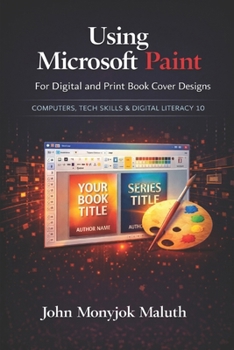
Using Microsoft Paint To Design Book Covers: A Guide for e-book and print book cover designs
No Customer Reviews

You do not need expensive software to design a clean book cover. You need clear steps, the right size, and simple design discipline.
Using Microsoft Paint for Digital and Print Book Cover Designs teaches beginners how to create readable, professional-looking covers using the free tool already on most Windows computers. You will learn how to build a clean layout, add strong text, work with images, keep spacing and margins under control, and export files that look sharp online and in print. Inside the book, you will: Learn the Paint tools that matter most for cover work, especially the Home tab and View tab.Create ebook covers with correct sizing and strong thumbnail readability.Build paperback covers the safe way by starting from the correct template, respecting safe areas, and reserving barcode space.Follow repeatable checklists so each new cover becomes faster and cleaner.Get a bonus section on computer basics for readers who want stronger digital confidence.
This is a practical book for authors, self-publishers, and beginners who want a simple method that works.
Format:Paperback
Language:English
ISBN:1494242095
ISBN13:9781494242091
Release Date:November 2013
Publisher:Createspace Independent Publishing Platform
Length:184 Pages
Weight:0.77 lbs.
Dimensions:0.5" x 6.0" x 9.0"
Customer Reviews
0 rating
Copyright © 2026 Thriftbooks.com Terms of Use
| Privacy Policy | Do Not
Sell/Share My Personal Information | Cookie Policy | Cookie Preferences | Accessibility Statement
ThriftBooks® and the ThriftBooks® logo are registered trademarks of Thrift Books Global, LLC
ThriftBooks® and the ThriftBooks® logo are registered trademarks of Thrift Books Global, LLC
