


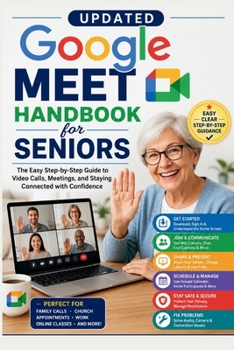
Updated Google Meet Handbook for Seniors: A Simple Guide to Joining Video Calls, Scheduling Meetings, Sharing Your Screen, Using Captions, Adjusting A

Stay Connected with Confidence-Master Google Meet One Step at a Time
Do you want to join video calls with family, attend online church services, meet with your doctor virtually, or participate in work and community meetings without feeling overwhelmed by technology?
If so, this beginner-friendly handbook is exactly what you need.
Updated Google Meet Handbook for Seniors is a practical, step-by-step guide created specifically for seniors and first-time users who want to confidently use Google Meet. Written in clear, everyday language, this handbook walks you through every essential feature so you can join meetings, communicate with confidence, and solve common problems with ease.
Inside this easy-to-follow guide, you'll learn how to:
Download and install Google MeetSign in and understand the Google Meet home screenJoin meetings using a meeting link or meeting codeUse your microphone, camera, chat, and live captionsShare your screen during presentations and conversationsChange meeting layouts and use helpful meeting toolsSchedule meetings and send invitations with Google CalendarManage participants and meeting settingsProtect your privacy and stay safe during online meetingsFix common audio, camera, and internet connection problemsUse Google Meet on your phone, tablet, and computerBuild confidence with practical tips designed for beginners and seniorsWhether you're talking with loved ones, attending virtual medical appointments, participating in online classes, joining business meetings, or connecting with your community, this handbook will help you use Google Meet with confidence.
No confusing technical jargon.
No complicated instructions.
Just simple, practical guidance that helps you communicate clearly, stay connected, and enjoy stress-free online meetings.
If you're ready to make video calling simple and enjoyable, scroll up and grab your copy today
Customer Reviews
ThriftBooks ® and the ThriftBooks ® logo are registered trademarks of Thrift Books Global, LLC
