


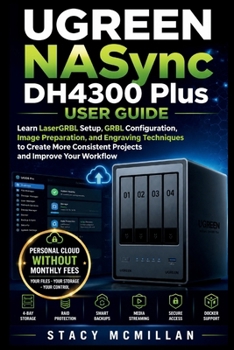
UGREEN NASync DH4300 Plus User Guide: Learn UGOS Pro Setup, Drive Installation, RAID Configuration, Media Management, Remote Access, and Backup Workfl
No Customer Reviews

Could one wrong storage setting leave your files exposed, unreachable, or hard to recover?
A new NAS can feel confusing when you must choose drives, create RAID, set user permissions, connect computers, protect backups, enable remote access, and respond to warnings. A poor choice may waste capacity, block users, slow transfers, or place important files at risk. This practical guide walks you through the UGREEN NASync DH4300 Plus from first setup to daily management. It explains each task in plain English and shows you what to do, what to check, and what to avoid. You get step-by-step instructions, practical examples, checklists, troubleshooting help, and clear instructional diagrams covering hardware, storage, permissions, backups, networking, media, remote access, Docker, and RAID recovery. Built for real setup, daily use, and safer storage decisions. What's insideClear NAS and private cloud basicsDrive installation and hardware setupUGOS Pro registration and configurationStorage pools, volumes, and RAID choicesUser accounts and folder permissionsWindows, macOS, and mobile file accessControlled file-sharing linksWindows, Mac, phone, and USB backupsPhoto, video, and music managementUGREENlink remote access setupARM64 Docker and container basicsSecurity, maintenance, and capacity growthTroubleshooting and RAID recovery workflowsPractical diagrams, examples, and checklists
Who's this guide for?
By the end of this guide, you will be able to: Install compatible drives and connect the hardwareSet up UGOS Pro and create the administrator accountChoose a suitable RAID levelCreate storage pools, volumes, and foldersControl read, write, and blocked accessConnect Windows, macOS, phones, and tabletsBuild and test reliable backup routinesOrganize and stream stored mediaConfigure safer remote file accessMonitor drive health and storage useManage basic ARM64 containersRespond to login, network, drive, and RAID problems
Clear instructions and practical support help you build a storage system you understand, manage, and trust.
Format:Paperback
Language:English
ISBN:B0H8RH7HYS
ISBN13:9798187208791
Release Date:July 2026
Publisher:Independently Published
Length:184 Pages
Weight:0.56 lbs.
Dimensions:0.4" x 6.0" x 9.0"
Customer Reviews
0 rating
Copyright © 2026 Thriftbooks.com
Terms of Use | Privacy Policy | Do Not Sell/Share My Personal Information | Cookie Notice | Cookie Preferences | Accessibility Statement
ThriftBooks ® and the ThriftBooks ® logo are registered trademarks of Thrift Books Global, LLC
ThriftBooks ® and the ThriftBooks ® logo are registered trademarks of Thrift Books Global, LLC
