


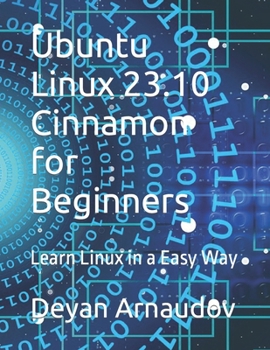
Ubuntu Linux 23.10 Cinnamon for Beginners: Learn Linux in a Easy Way
No Customer Reviews

New to Linux? Wondering if you should try Linux on your computer? You do not need to wonder anymore, because here is a guide, which can help you, to download, install and use one of the most popular Linux operating systems in the world, and that is Ubuntu Linux. This tutorial, will show you how you can download, install, configure and use, the Ubuntu Linux 23.10 Cinnamon operating system, on your computer. It is free of charge, to download and use it on your computer, plus, Ubuntu Linux comes with about 60 000 software applications available and waiting for you to download, and start using them. That is thousands of applications free of charge, on your computer. Another thing about the Ubuntu Linux 23.10 Cinnamon is, that it is similar to Windows, in the way it looks like. It is not same like Micro$oft Windows, but it looks similar, so, if you have been already using Micro$oft Windows, you will find it easy, to use, the Ubuntu Linux. Linux is nearly free of viruses, so you do not need to install any antivirus operating application on your computer Ubuntu Linux is a secure, stable, and fast operating system, which will help you do all those common computer things we do, every day, like browsing the Internet, watching YouTube videos, listening to music, playing games, watching your own videos, sending Email, writing and printing office documents, and much more.... Well, it will not print money for you, but will do most of the things you do, on a Micro$oft Windows computer. So, what are you waiting for? Grab a copy of this tutorial, follow it step by step, and start using the free Ubuntu Linux 23.10 Cinnamon operating system, on your computer, and have fun Hopefully you enjoy it
Format:Paperback
Language:English
ISBN:B0CN8V845G
ISBN13:9798867565916
Release Date:November 2023
Publisher:Independently Published
Length:176 Pages
Weight:0.93 lbs.
Dimensions:0.4" x 8.5" x 11.0"
Customer Reviews
0 rating
Copyright © 2026 Thriftbooks.com Terms of Use
| Privacy Policy | Do Not
Sell/Share My Personal Information | Cookie Policy | Cookie Preferences | Accessibility Statement
ThriftBooks® and the ThriftBooks® logo are registered trademarks of Thrift Books Global, LLC
ThriftBooks® and the ThriftBooks® logo are registered trademarks of Thrift Books Global, LLC
