


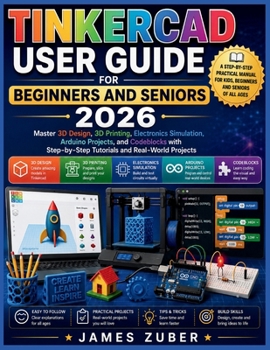
Tinkercad User Guide for Beginners and Seniors 2026: Master 3D Design, 3D Printing, Electronics Simulation, Arduino Projects, and Codeblocks with Step

Unlock the Power of 3D Design, 3D Printing, Electronics, and Arduino-Even If You've Never Used Tinkercad Before
Have you always wanted to create your own 3D models, print custom objects, build electronic circuits, or experiment with Arduino projects-but felt overwhelmed by complicated software and technical jargon?
TINKERCAD USER GUIDE FOR BEGINNERS AND SENIORS 2026 is your practical, step-by-step roadmap to mastering one of the world's most popular free design platforms. Written in plain English and designed specifically for beginners, seniors, hobbyists, educators, students, and makers, this guide removes the confusion and helps you start creating immediately.
Whether you're interested in designing personalized gifts, preparing models for 3D printing, building interactive electronics projects, or exploring coding through Codeblocks, this book will guide you every step of the way.
Inside You'll Discover: How to create and set up your free Tinkercad accountA complete tour of the Tinkercad workspace and design toolsHow to create professional-looking 3D models using simple shapesThe secrets of grouping, alignment, cutouts, and precision designHow to design useful everyday objects such as keychains, nameplates, organizers, and phone standsEssential 3D printing concepts every beginner should understandHow to export STL files and prepare models for successful printingStep-by-step guidance for using slicer softwareHow to build and simulate electronic circuits without expensive hardwareHands-on projects using LEDs, switches, batteries, and virtual breadboardsA beginner-friendly introduction to Arduino programmingHow to create and run your first Arduino LED Blink projectAn easy-to-understand guide to Codeblocks visual programmingTroubleshooting solutions for common mistakes and design problemsTime-saving tips, shortcuts, and hidden features used by experienced creatorsReal-World Projects IncludedThis guide doesn't just explain tools-it helps you build with them.
You'll complete practical projects such as:
- Simple Name Plate
- Custom Keychain
- Desk Name Sign
- Phone Stand
- Pencil Holder
- Arduino LED Blink Circuit
Each project is carefully chosen to reinforce your skills while helping you create something useful and enjoyable.
Perfect For:- Absolute beginners
- Seniors learning technology
- Students and educators
- Makers and hobbyists
- Future engineers and designers
- 3D printing enthusiasts
- Anyone curious about Arduino and electronics
You don't need previous design experience, programming knowledge, or expensive equipment to get started. All you need is curiosity and a willingness to learn.
If you're ready to transform ideas into real-world creations and discover just how fun digital design can be, then TINKERCAD USER GUIDE FOR BEGINNERS AND SENIORS 2026 is the perfect place to begin.
Scroll up and grab your copy today-your journey into 3D design, 3D printing, electronics simulation, Arduino, and Codeblocks starts here
Customer Reviews
ThriftBooks ® and the ThriftBooks ® logo are registered trademarks of Thrift Books Global, LLC
