


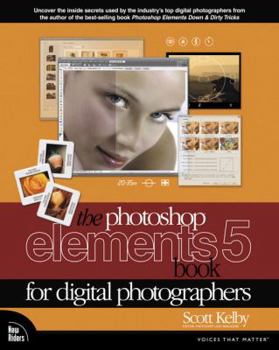
The Photoshop Elements 5 Book for Digital Photographers

Edit like a pro with the step-by-step lessons in this handbook for the digital photographer using Photoshop Elements 5. This text presents common sense concepts together with secrets to producing... This description may be from another edition of this product.
Format:Paperback
Language:English
ISBN:0321476735
ISBN13:9780321476739
Release Date:November 2006
Publisher:New Riders Pub
Length:487 Pages
Weight:2.68 lbs.
Dimensions:9.8" x 1.3" x 8.0"
Customer Reviews
4 ratings
I WAS BLIND BUT NOW I SEE...
Published by Thriftbooks.com User , 18 years ago
Okay...let me start by saying that I can figure out computer software fairly easy. I'm no computer genius but whenever I install a new software program on my computer I simply give the supplied instruction manual a quick glance, toss it aside, then start clicking the mouse and punching the keys. Before long I've got the hang of it and all is well. That is until I installed Adobe Photoshop Elements 5.0. I felt dyslexic trying to figure this program out. I even did the unthinkable and returned to the instruction manual for guidance. Nothing helped. Even the simplest commands had me running in circles. While pulling my hair out I actually stopped for a minute to entertain a frightening thought. "This is just Photoshop Elements...a simpler more toned down version of Adobe Photoshop CS3." Despair quickly set in. Needing serious help I sought the support of the Internet and it's many avenues for solutions. Needless to say it didn't take long before I was referred to "The Photoshop Elements 5 Book" by Scott Kelby. After reading just a few pages and trying out some of the techniques he mentions I began to build confidence. The book concentrates more on specific procedures and the simple steps to achieve them rather than the clichéd text book-written style of other books. For example, let's say you wanted to erase an unwanted object from a photo. You could simply look up "Cloning Away Unwanted Objects" in the glossary, flip to page 268, and follow the easy steps Mr. Kelby lists. He cuts right to the problems at hand then tells you plain and simple how to solve them rather than getting into some mundane and long-winded explanations as to how the software works. I've found that by working with Photoshop Elements this way I learn at a much faster pace. By following the steps in this book the reader not only learns how to attain the fixes and effects he or she wants on their photos but acquires the knowledge to run the software as well. Glossary Listings: CHAPTER 1 Organized Chaos Importing Your Photos Backing Up Your Photos (on Disc or Online) Creating A Contact Sheet Dealing With The Welcome Screen Importing Photos From Your Scanner Automating The Importing Of Photos By Using Watched Folders Changing The Size Of Your Photo Thumbnails Seeing Full-Screen Previews Sorting Photos By Date Adding Scanned Photos? Enter The Right Time And Date Finding Photos Fast By Month And Year Tagging Your Photo (Tags Are Keywords) Tagging Multiple Photos Assigning Multiple Tags To One Photo Tagging Images Of People (Face Tagging) Combining (Merging) Tags Sharing Your Tags (Or Collections) With Others Collections: It's How You Put Photos In Order One By One Choosing Your Own Icons For Tags (Or Collections) Deleting Tags (Or Collections) Seeing Your Photos Metadata (EXIF Info) Adding Your Own Info To Photos Finding Photos Finding Photos Using The Date View Seeing An Instant Slide Show Comparing Photos Comparing Photos By Zooming And Panning Reducing Clu
Outstanding Book
Published by Thriftbooks.com User , 19 years ago
I have almost 40 years experience in photography, both behind the lens and in the darkroom (b/w and color)and have found this the best source of real world usage. When I moved from film format to digital, I was disappointed in the results of being able to create a photo to the quality standards I expected. Once I moved past the basic burn, dodge, crop and color correction I was lost. This book shows what your results will be and has understandable step-by-step procedures to produce these results. I would recommend this book very highly and would say that it's the best there is on the subject of understanding Adoby Photoshop Elements 5, and what you can do with the program. Hats off to the author.
Excellent overview and instruction for photographers!
Published by Thriftbooks.com User , 19 years ago
This book does what the (very lame) instruction book should do, plus much more! Starting out, it is a fine demonstration of the capabilities of the Organizer, and how best to organize your photos. It then gives a very fine instruction on the handling of RAW files (truly a must for getting the most out of Photoshop AND your digital SLR). And then, of course, comes photo editing "for Digital Photographers", the emphasis being on producing better photographs. Although there is coverage about scrapbooking, etc., or things that might apply to a graphics artist, the book keeps focused on improving photographs. Kelby's book will help you improve poor photos, and make great photos really stand out. Helpful tips abound. Unless your already an Elements whiz, NOT buying this book is a waste of your time and money!
Perfect!!
Published by Thriftbooks.com User , 19 years ago
I stuggled with the Elements Classroom in a Book 4. I upgraded to Elements 5 because of the cool features. . .thinking another Classrooom Book. I read the reviews of this book. . .and liked the author from the Photoshop Elements website and decided to give it a try. It is absolutely the best book I have ever used to teach myself how to use a product. I learn something new--and easier--every page!! I have never felt competent using layers. The use if this tool is incorporated through out the book. You learn by doing a technique- - -not wondering if you should use a layer. Very powerful. The combination of the step-by-step narrative with the excellent illustrations make techniques I stuggled with easy. Just buy it!
Copyright © 2026 Thriftbooks.com Terms of Use
| Privacy Policy | Do Not
Sell/Share My Personal Information | Cookie Policy | Cookie Preferences | Accessibility Statement
ThriftBooks® and the ThriftBooks® logo are registered trademarks of Thrift Books Global, LLC
ThriftBooks® and the ThriftBooks® logo are registered trademarks of Thrift Books Global, LLC
