


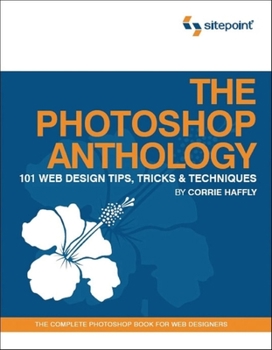
The Photoshop Anthology: 101 Web Design Tips, Tricks & Techniques

Select Format
Select Condition 
Book Overview
Photoshop CS6 Unlocked is a full-color question-and-answer book for web designers who want to use Photoshop to create better looking websites.Completely updated for Photoshop CS6, this comprehensive... This description may be from another edition of this product.
Format:Paperback
Language:English
ISBN:0975841920
ISBN13:9780975841921
Release Date:August 2006
Publisher:Sitepoint Pty Ltd
Length:278 Pages
Weight:1.60 lbs.
Dimensions:10.0" x 0.8" x 8.0"
Customer Reviews
5 ratings
Jump Start!
Published by Thriftbooks.com User , 18 years ago
Being relatively new to Photoshop, this book has proved very helpful. Everything is briefly and easily laid out for rapid application of content.
Great all-around PhotoShop Book
Published by Thriftbooks.com User , 18 years ago
There are a whole lot oh Photoshop books out there teaching all sorts of cool stuff, but if you are graphically challenged like some people (like me) most of those books just stay on the bookshelf and never see the light of day. But his new book on Photoshop by Corrie Haffly makes sing Photoshop easy and actually fun. Every page is in a workbook like format to make it easier to understand every concept with beautifully detailed screenshots and explanations. The author assumes no prior knowledge and takes the reader through the basics first and then goes through some very special exercises creating backgrounds, buttons, text formatting, image adjustment, and web site layout design. Chapter 1 explains to the reader the basics of Photoshop: Workspace, image file types, layers, toolbox and tools, palettes, saving preferences Chapter 2 describes how to gain basic skills of manipulating images: Placing artwork on your workspace, creating Smart Object, rasterizing objects, resizing a layer or selection, rotating an image or selection, creating curves, reusing vector shapes, adjusting layer transparency, fading an image into background, blending two images together, and adding a drop shadow Chapter 3 shows you how to create different kinds of very cool buttons: Flat buttons, smooth buttons, chiseled buttons, gradient button, button with matte finish, metallic buttons, shiny buttons, aqua button, glass buttons, and plastic button Chapter 4 shows you how to create different kinds of tiled backgrounds: Photographic backgrounds, striped background, pixel background, metal background, wood-grain background, textured stone background, and textured paper background Chapter 5 shows you how to manipulate and add text to your images: Adding single and multi-line text, increasing space between lines and letters of text, warping text, wrapping text around curved object, making text follow a path, making text glow, creating chisled or engraved text, and adding a show to text Chapter 6 shows you techniques on adjusting your images: Creating adjustment layers, adding tone adjustments and contrast, making colors more vivid, removing tint from photos, darkening areas on an image, fixing red-eye effect, converting images to black and white, and combining two different images Chapter 7 shows you how to design a website from scratch in Photoshop. This quick overview doesn't do this book justice of course, but it is a great book nevertheless. If you already a Photoshop user it is still a great book because there are so many things you can do in PhotoShop that it is impossible to know them all. So this can be either a great beginner - intermediate guide or a superb reference book for designers looking for a specific technique. A must buy!
Book Review
Published by Thriftbooks.com User , 19 years ago
Some very good information in this book. Quite a bit has been very useful.
Excellent book - great quality and a friendly read
Published by Thriftbooks.com User , 19 years ago
For the last few years I've done a pretty good job of avoiding Photoshop, hiding behind the "I'm not a Graphic Designer" line. However I've recently taken on responsibility for the interface design of the Intranet systems where I work, as well as the backend stuff. So needing a crash course in Photoshop I picked this book up. I was amazed how quickly I got to grips with the concepts - I was whipping up professional looking graphics very quickly. The most striking thing about the book is the quality of the printing. It's in full color, which is a massive help with a graphics book, and it looks great. Probably the best looking technical book I've read for a good while. It is slightly larger than the usual size of technical books, and laid out in a very easy to follow way - the book has a real sense of flow thanks to this. The other thing that struck me was the way in which it's written. The author takes a very informal tone which I had mixed feelings about at first. However it was easy to get used to, and the writing style gives the book a very relaxed, friendly feel - it makes the book very easy and enjoyable to read. The book is made up of sections of related short tutorials, for example a tutorial on making buttons leads into making buttons with various types of effects and looks. In isolation some of these tutorials don't seem very useful, especially considering the current trend for clean CSS driven websites. However they are in fact excellent at teaching the core concepts used in creating the majority of the highlight graphics you'll see on websites today. Once you've mastered the gradient and glassy buttons, for example, you can use the highlight techniques from these tutorials and apply them to highlight graphics, icons and other little niceties for use all over the place. The book goes on to teach the most of the concepts in involved in creating graphics for website, either from scratch or using existing images. I was very impressed with how quickly I was able to start using Photoshop and producing graphics without having to rely on tutorials or other images for guidance. Its one of those books that's best read next to your PC while your trying out ideas and concepts as you go along - if your after a book that's light on theory and that will very quickly get you exploring Photoshop for yourself I'd definitely recommend this.
Great Photoshop Resource
Published by Thriftbooks.com User , 19 years ago
I consider myself of moderate Photoshop knowledge. When working as a real estate protographer, I used Photoshop a lot in the "digital darkroom" sense. But I never got much farther than that. SitePoint's Photoshop Anthology is written as a series of tutorials that take you from the very basic (creating new documents, working with layers, etc.) to the advanced (creating actions and droplets). The tutorials are well written and easy to follow and are excellently illustrated in full color. This is, by far, the nicest printing job I have ever seen for a Photoshop book. Full color cover-to-cover. While very advanced users might not find too much in the book, the majority of Photoshop users will get something out of it. Anyone who is used to learning Photoshop from web-based tutorials will feel instantly comfortable with this book's style. And the fact that each tutorial is presented as a real world problem with a solution is a bonus. (For example, I recently had to create a tiled background from an image for a website... I had no idea how to do that. So I opened up my copy of The Photoshop Anthology, flipped to page 93: "Making a Seamless Tiling Background" ... voila!) [...].
Copyright © 2026 Thriftbooks.com Terms of Use
| Privacy Policy | Do Not
Sell/Share My Personal Information | Cookie Policy | Cookie Preferences | Accessibility Statement
ThriftBooks® and the ThriftBooks® logo are registered trademarks of Thrift Books Global, LLC
ThriftBooks® and the ThriftBooks® logo are registered trademarks of Thrift Books Global, LLC
