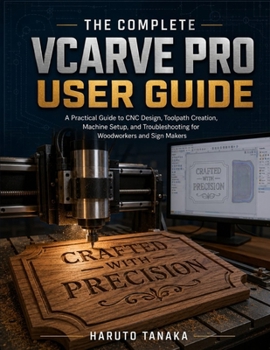
The Complete Vcarve Pro User Guide: A Practical Guide to CNC Design, Toolpath Creation, Machine Setup, and Troubleshooting for Woodworkers and Sign Ma
No Customer Reviews

What if you could turn your ideas into precise, professional CNC projects-even if you are just getting started with VCarve Pro?
The Complete VCarve Pro User Guide is a practical, step-by-step resource designed to help you understand VCarve Pro and confidently use it to create CNC-ready designs and toolpaths.
Whether you are completely new to VCarve Pro or want to strengthen your existing CNC design skills, this guide walks you through the essential features and workflows you need to move from an initial idea to a finished machining project. Inside, you'll learn how to navigate the VCarve Pro interface, create and edit vectors, work with shapes and text, import designs, organize your projects, and prepare your artwork for machining. You'll also explore the important concepts behind CNC toolpaths and learn how to configure them correctly for different types of operations. The book covers practical techniques for creating profiles, pockets, drilling operations, facing passes, multiple-depth cuts, and other common CNC machining operations, along with the settings that control cutting depth, feed rates, spindle speed, tool selection, ramping, and safe tool movement.
You'll also learn how to work with toolpaths, workpiece setup, tabs, previews, toolpath simulation, and G-code output, helping you understand not only what to click, but why each setting matters. Inside this guide, you'll discover how to:
- Understand the VCarve Pro workspace and essential tools
- Create and edit accurate 2D vector designs
- Import and prepare existing artwork for CNC machining
- Set up the job size, material, and machining parameters
- Create profiles and pocket toolpaths
- Configure drilling and facing operations
- Use multiple cutting depths effectively
- Select and configure appropriate cutting tools
- Adjust feed rates, spindle speeds, and cutting parameters
- Add tabs and other features for secure machining
- Identify potential machining problems before they reach the CNC machine
- Understand and manage toolpath order and cutting strategies
- Generate and save CNC-ready toolpaths and G-code
- Apply practical CNC concepts to real-world VCarve Pro projects With clear explanations and practical examples, The Complete VCarve Pro User Guide is built to help you progress from learning the interface to creating reliable, well-planned CNC machining projects.
Whether you are a CNC beginner, hobbyist, maker, woodworker, sign maker, designer, or experienced CNC operator looking to improve your VCarve Pro workflow, this book gives you a practical foundation for designing with confidence and preparing your projects for the machine.
Learn the tools. Understand the settings. Build better toolpaths. Machine with confidence.
The Complete VCarve Pro User Guide is a practical, step-by-step resource designed to help you understand VCarve Pro and confidently use it to create CNC-ready designs and toolpaths.
Whether you are completely new to VCarve Pro or want to strengthen your existing CNC design skills, this guide walks you through the essential features and workflows you need to move from an initial idea to a finished machining project. Inside, you'll learn how to navigate the VCarve Pro interface, create and edit vectors, work with shapes and text, import designs, organize your projects, and prepare your artwork for machining. You'll also explore the important concepts behind CNC toolpaths and learn how to configure them correctly for different types of operations. The book covers practical techniques for creating profiles, pockets, drilling operations, facing passes, multiple-depth cuts, and other common CNC machining operations, along with the settings that control cutting depth, feed rates, spindle speed, tool selection, ramping, and safe tool movement.
You'll also learn how to work with toolpaths, workpiece setup, tabs, previews, toolpath simulation, and G-code output, helping you understand not only what to click, but why each setting matters. Inside this guide, you'll discover how to:
- Understand the VCarve Pro workspace and essential tools
- Create and edit accurate 2D vector designs
- Import and prepare existing artwork for CNC machining
- Set up the job size, material, and machining parameters
- Create profiles and pocket toolpaths
- Configure drilling and facing operations
- Use multiple cutting depths effectively
- Select and configure appropriate cutting tools
- Adjust feed rates, spindle speeds, and cutting parameters
- Add tabs and other features for secure machining
- Identify potential machining problems before they reach the CNC machine
- Understand and manage toolpath order and cutting strategies
- Generate and save CNC-ready toolpaths and G-code
- Apply practical CNC concepts to real-world VCarve Pro projects With clear explanations and practical examples, The Complete VCarve Pro User Guide is built to help you progress from learning the interface to creating reliable, well-planned CNC machining projects.
Whether you are a CNC beginner, hobbyist, maker, woodworker, sign maker, designer, or experienced CNC operator looking to improve your VCarve Pro workflow, this book gives you a practical foundation for designing with confidence and preparing your projects for the machine.
Learn the tools. Understand the settings. Build better toolpaths. Machine with confidence.
Format:Paperback
Language:English
ISBN:B0HJCDQHH7
ISBN13:9798173164919
Release Date:September 2026
Publisher:Independently Published
Length:94 Pages
Weight:0.53 lbs.
Dimensions:0.2" x 8.5" x 11.0"
Customer Reviews
0 rating
Copyright © 2026 Thriftbooks.com
Terms of Use | Privacy Policy | Do Not Sell/Share My Personal Information | Cookie Notice | Cookie Preferences | Accessibility Statement
ThriftBooks ® and the ThriftBooks ® logo are registered trademarks of Thrift Books Global, LLC
ThriftBooks ® and the ThriftBooks ® logo are registered trademarks of Thrift Books Global, LLC