


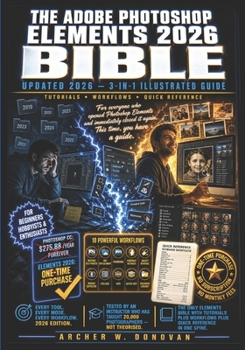
The Adobe Photoshop Elements 2026 Bible: 3-in-1Illustrated Guide to Master Photo Editing, AI Features, Layers, Selections, Effects, and Creative Techn

MASTER ADOBE PHOTOSHOP ELEMENTS 2026 FROM SCRATCH -- EVEN IF YOU CLOSED THE SOFTWARE THE FIRST TIME YOU OPENED IT AND NEVER WENT BACK
You bought Photoshop Elements full of excitement.
Then the interface appeared and the overwhelm hit immediately.
Too many tools, too many panels, too many options with no clear starting point.
You tried a few adjustments, nothing looked right, and you walked away frustrated.
Now your photos sit unedited and your software collects digital dust.
And every time you see a beautifully edited photo online, you feel that familiar pang of knowing yours could look just as good -- if only someone would show you exactly how.
Here is what nobody tells you when you buy Photoshop Elements.
Most Elements owners use less than ten percent of the software.
They crop, adjust brightness, apply auto-fix, and call it done.
The AI-powered tools, the layer system, the Guided Edits, the Organizer, the photo merges -- all of it sits completely untouched.
Not because the features are too advanced.
But because no resource has ever walked through all of it clearly, completely, and in plain language.
You end up paying for a professional-grade editor and using it like a basic cropping tool.
That ends today.
Introducing The Adobe Photoshop Elements 2026 Bible, the only 3-in-1 illustrated guide you will ever need.
This is not just another software manual.
This is a complete, structured, step-by-step mastery system built for real photographers and enthusiasts.
Everything inside is designed to take you from confused beginner to confident editor, one chapter at a time.
Here is everything you get inside:
Book One -- Twelve comprehensive tutorial chapters covering every mode, tool, and feature in Elements 2026Book Two -- Ten real-world editing workflows that show you exactly how professionals approach real photosBook Three -- A complete Quick Reference guide with shortcuts, common fixes, a glossary, and expert tipsStep-by-step illustrated instructions tested on Adobe Photoshop Elements 2026AI feature mastery covering object removal, content-aware tools, and intelligent selectionsComplete Organizer system so you can find any photo in seconds using face recognition, smart tags, and timeline searchLayer and mask techniques that give you full non-destructive Photoshop-level controlGuided Edit walkthroughs for double exposure, painterly effects, old photo restoration, and moreExport and sharing workflows optimized for social media, email, home printing, and professional labsMonitor calibration and colour management so what you see on screen matches every print and every screenThis book exists because Photoshop Elements deserves to be understood, not feared.
Elements is not Photoshop's cheaper, weaker sibling.
It is Photoshop reimagined for photographers who want to edit photos, not become software engineers.
This book unlocks every single one of those capabilities for you.
Whether you are a complete beginner or a frustrated intermediate user, this book meets you exactly where you are.
You do not need prior editing experience to use this book.
You do not need a design background or technical expertise.
You need clear instructions, real examples, and a guide who has taught over twenty thousand photographers exactly what you are trying to learn.
This book gives you all of that in one complete, illustrated volume.
This book makes sure they get it.
Scroll up and grab your copy today -- your best edits are waiting.
Customer Reviews
ThriftBooks ® and the ThriftBooks ® logo are registered trademarks of Thrift Books Global, LLC
