


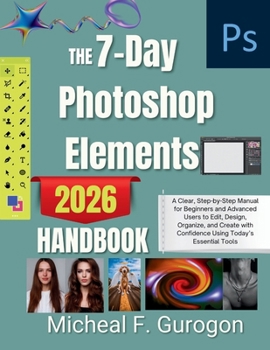
The 7-Day Photoshop Elements 2026 Handbook: A Clear, Step-by-Step Manual for Beginners and Advanced Users to Edit, Design, Organize, and Create with C
No Customer Reviews

Master Photoshop Elements 2026 in Just 7 Days - Without Overwhelm
Struggling to edit photos and videos without getting lost in menus, tools, and guesswork?
This step-by-step Photoshop Elements 2026 guide is designed to take you from confused beginner to confident creator-fast.
Whether you're fixing everyday photos, designing graphics, or polishing videos for social media, this guide shows you exactly what to do, in the right order, with no fluff and no jargon.
This isn't a reference manual.
It's a hands-on, real-world handbook built for results.
What Makes This Guide Different?
7-Day Learning System - Learn one focused skill set per day without overload
Beginner-Friendly, Expert-Approved - Clear explanations with professional workflows
Real Projects, Not Theory - Edit real photos and videos from start to finish
Smart & AI Tools Explained Simply - Save time without losing creative control
Photo + Video Mastery - One book, complete coverage
No Guesswork - Every step explained, nothing assumed
What You'll Learn Inside
Photo Editing Made Simple
Fix lighting, color, and clarity like a pro
Retouch faces and skin naturally-never plastic or fake
Remove unwanted objects cleanly and invisibly
Crop and straighten for perfect composition
Replace backgrounds realistically
Creative Design That Gets Noticed
Design eye-catching graphics, cards, and social images
Use templates and layouts the smart way
Add text, effects, and overlays without clutter
Video Editing Without Stress
Import, trim, and organize clips effortlessly
Improve video color, lighting, and stabilization
Add titles, transitions, and effects without overwhelm
Export videos that look great everywhere
Smart Tools & Automation
Use AI-powered tools to edit faster
Automate repetitive tasks to save hours
Organize photos and videos so nothing is ever lost
Create professional results on autopilot
Perfect For:
Beginners who want clear, step-by-step guidance
Hobbyists who want better results without complexity
Creators, entrepreneurs, and social media users
Anyone upgrading to Photoshop Elements 2026
Users tired of tutorials that explain tools-but not workflows
By the End of This Book, You Will:
Know exactly which tools matter-and which to ignore
Edit photos and videos with confidence and speed
Produce polished, professional-looking results
Follow a repeatable workflow for any project
Enjoy editing instead of feeling stuck
Stop guessing.
Stop wasting time.
Start creating with confidence.
Photoshop Elements 2026 doesn't have to be complicated.
This guide proves it.
Struggling to edit photos and videos without getting lost in menus, tools, and guesswork?
This step-by-step Photoshop Elements 2026 guide is designed to take you from confused beginner to confident creator-fast.
Whether you're fixing everyday photos, designing graphics, or polishing videos for social media, this guide shows you exactly what to do, in the right order, with no fluff and no jargon.
This isn't a reference manual.
It's a hands-on, real-world handbook built for results.
What Makes This Guide Different?
7-Day Learning System - Learn one focused skill set per day without overload
Beginner-Friendly, Expert-Approved - Clear explanations with professional workflows
Real Projects, Not Theory - Edit real photos and videos from start to finish
Smart & AI Tools Explained Simply - Save time without losing creative control
Photo + Video Mastery - One book, complete coverage
No Guesswork - Every step explained, nothing assumed
What You'll Learn Inside
Photo Editing Made Simple
Fix lighting, color, and clarity like a pro
Retouch faces and skin naturally-never plastic or fake
Remove unwanted objects cleanly and invisibly
Crop and straighten for perfect composition
Replace backgrounds realistically
Creative Design That Gets Noticed
Design eye-catching graphics, cards, and social images
Use templates and layouts the smart way
Add text, effects, and overlays without clutter
Video Editing Without Stress
Import, trim, and organize clips effortlessly
Improve video color, lighting, and stabilization
Add titles, transitions, and effects without overwhelm
Export videos that look great everywhere
Smart Tools & Automation
Use AI-powered tools to edit faster
Automate repetitive tasks to save hours
Organize photos and videos so nothing is ever lost
Create professional results on autopilot
Perfect For:
Beginners who want clear, step-by-step guidance
Hobbyists who want better results without complexity
Creators, entrepreneurs, and social media users
Anyone upgrading to Photoshop Elements 2026
Users tired of tutorials that explain tools-but not workflows
By the End of This Book, You Will:
Know exactly which tools matter-and which to ignore
Edit photos and videos with confidence and speed
Produce polished, professional-looking results
Follow a repeatable workflow for any project
Enjoy editing instead of feeling stuck
Stop guessing.
Stop wasting time.
Start creating with confidence.
Photoshop Elements 2026 doesn't have to be complicated.
This guide proves it.
Format:Paperback
Language:English
ISBN:B0GKGL1721
ISBN13:9798246094884
Release Date:January 2026
Publisher:Independently Published
Length:120 Pages
Weight:0.65 lbs.
Dimensions:0.3" x 8.5" x 11.0"
Customer Reviews
0 rating
Copyright © 2026 Thriftbooks.com
Terms of Use | Privacy Policy | Do Not Sell/Share My Personal Information | Cookie Notice | Cookie Preferences | Accessibility Statement
ThriftBooks ® and the ThriftBooks ® logo are registered trademarks of Thrift Books Global, LLC
ThriftBooks ® and the ThriftBooks ® logo are registered trademarks of Thrift Books Global, LLC
