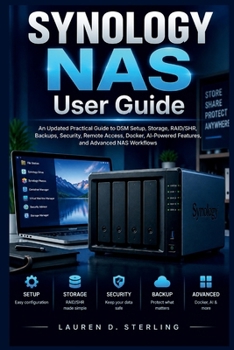
SYNOLOGY NAS User Guide: An Updated Practical Guide to DSM Setup, Storage, RAID/SHR, Backups, Security, Remote Access, Docker, AI-Powered Features, an
No Customer Reviews

How can you confidently set up and manage a Synology NAS without feeling overwhelmed by storage choices, settings, security options, and advanced features?
Many new NAS users struggle with understanding DSM, choosing the right storage configuration, managing permissions, creating reliable backups, and accessing their files safely from anywhere. Without a clear workflow, it can be easy to miss important settings, create unnecessary problems, or fail to get the best value from the system. This practical guide provides a clear path from the first setup process to advanced NAS management. It helps beginners understand the Synology NAS ecosystem while also giving experienced users useful guidance for improving storage, security, automation, and everyday workflows. Through step-by-step instructions, practical explanations, and visual learning support, this book shows how to configure DSM, manage storage pools and RAID/SHR, organize files, protect important data, use remote access, manage applications, work with Docker containers, and explore AI-powered features for smarter NAS tasks. A reliable NAS is built through clear decisions, organized workflows, and consistent management.What's inside
Clear explanations of Synology NAS concepts, DSM, and essential terminologyStep-by-step guidance for hardware preparation, DSM setup, and system configurationPractical methods for managing storage pools, volumes, RAID/SHR, and drive healthSecurity guidance covering user accounts, permissions, firewall settings, and protection practicesBackup workflows using Hyper Backup, snapshots, and recovery planningRemote access setup, mobile connectivity, and secure file access methodsFile organization, shared folders, synchronization, and collaboration workflowsAI-powered features and automation ideas for smarter data managementDocker containers, virtual machines, and advanced NAS capabilitiesTroubleshooting approaches for common storage, network, application, and system issuesWho's this guide for?
Beginners setting up their first Synology NAS and learning how the system worksHome users who want organized storage, backups, and private file accessSmall business users managing shared data and user permissionsTechnology enthusiasts exploring Docker, applications, and advanced workflowsNAS owners who want better maintenance, security, and system management skillsBy the end of this guide, you will be able to:
Set up and configure a Synology NAS with confidenceUnderstand DSM tools, settings, and everyday management tasksCreate effective storage, backup, and file organization workflowsConfigure RAID/SHR options and monitor storage healthImprove security through proper accounts, permissions, and protection settingsUse applications, Docker containers, and advanced features more effectivelyTroubleshoot common NAS problems and maintain a reliable system
This guide is designed to help you move from uncertainty to practical control of your NAS environment. Keep it as a reference while you build, manage, and improve your storage system over time.
Format:Paperback
Language:English
ISBN:B0HKFXFB8V
ISBN13:9798175654210
Release Date:September 2026
Publisher:Independently Published
Length:216 Pages
Weight:0.65 lbs.
Dimensions:0.5" x 6.0" x 9.0"
Customer Reviews
0 rating
Copyright © 2026 Thriftbooks.com
Terms of Use | Privacy Policy | Do Not Sell/Share My Personal Information | Cookie Notice | Cookie Preferences | Accessibility Statement
ThriftBooks ® and the ThriftBooks ® logo are registered trademarks of Thrift Books Global, LLC
ThriftBooks ® and the ThriftBooks ® logo are registered trademarks of Thrift Books Global, LLC