


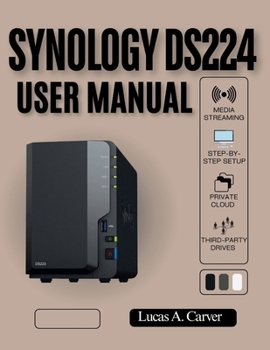
Synology DS224 User Manual: Step-by-Step Setup, Secure Backups, Media Streaming, Private Cloud Mastery, and How to Use Third-Party Drives with Confidence

Unlock the full potential of your Synology DS224 NAS with this comprehensive, hands-on user manual designed for beginners, home users, small business owners, and content creators alike. Whether you want secure backups, private cloud storage, or seamless media streaming, this book gives you step-by-step guidance to master your Synology DS224 confidently-without being locked into proprietary drives or complicated jargon.
Inside this manual, you'll discover how to set up your Synology DS224 from scratch, configure secure and automated backups, build your own private cloud, and stream media smoothly across devices. Learn how to safely use third-party drives, giving you the flexibility to expand your storage and save money without compromising performance or data integrity. Every instruction is crafted to be easy to follow, ensuring you avoid common mistakes and maximize the value of your NAS.
Ideal for:
Home users who want reliable, private cloud storageSmall business owners looking to secure critical dataContent creators, photographers, and YouTubers who need smooth media streamingIT beginners who want a practical, easy-to-follow NAS guideKey Features Include:
Step-by-step setup instructions for the Synology DS224 NASSecure and automated backup strategies to protect your dataMedia streaming and Plex server configuration for seamless playbackPrivate cloud mastery for personal and business useCompatibility guidance for third-party (non-Synology) drivesTroubleshooting tips with clear diagrams and screenshotsProgressive learning structure suitable for all skill levelsBenefits You'll Gain:
Set up and manage your Synology DS224 with confidenceProtect your files from data loss, ransomware, and hardware failuresCreate a private cloud accessible from anywhereStream music, movies, and photos effortlessly across devicesSave money and avoid vendor lock-in by using compatible third-party drivesTake control of your data today. With this manual, you'll gain the knowledge, skills, and confidence to make the most of your Synology DS224, ensuring your files are secure, accessible, and fully under your control.
Up-to-date for 2026, this guide covers the latest Synology DiskStation Manager (DSM) features and best practices, making it an essential resource for tech-savvy buyers and NAS enthusiasts alike.
Customer Reviews
ThriftBooks ® and the ThriftBooks ® logo are registered trademarks of Thrift Books Global, LLC
