


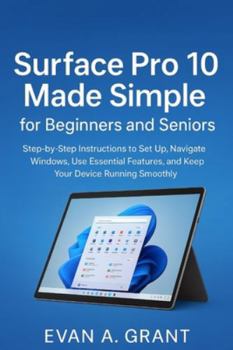
Surface Pro 10 Made Simple for Beginners and Seniors: Step-by-Step Instructions to Set Up, Navigate Windows, Use Essential Features, and Keep Your Dev

Unlock the Full Potential of Your Surface Pro 10 - Made Simple for Beginners and Seniors
Are you ready to master your Surface Pro 10 without stress, confusion, or endless trial and error? Whether you're a beginner stepping into the world of tablets and laptops for the first time, or a senior looking to confidently navigate modern technology, this guide is your ultimate companion.
Inside, you'll discover how to set up your device, explore Windows 11, and use every feature with ease. From touch gestures, stylus creativity, and laptop productivity, to cloud storage, email management, and multimedia enjoyment, this book gives you step-by-step instructions in a simple, friendly, and easy-to-follow style.
Why this book is for you:
No technical jargon: Every instruction is clear, calm, and supportive-perfect for first-time users.
Comprehensive coverage: Learn everything from unboxing, first-time setup, and essential settings, to advanced productivity workflows and accessories.
Solve problems confidently: Troubleshoot common issues like battery drain, connectivity problems, pen malfunctions, and slow performance without panic.
Maximize productivity: Discover the best apps, multitasking techniques, and work strategies to make your Surface Pro 10 a powerful tool for daily life, work, and creativity.
Who needs this book:
Beginners who want to navigate the Surface Pro 10 without frustration
Seniors who want a simple, patient, and practical guide
Students, professionals, and creatives seeking enhanced productivity and efficiency
Anyone looking to fully unlock the hidden potential of their Surface Pro 10
What you'll gain:
Confidence in using your Surface Pro 10 like a pro
Efficiency in work, creativity, and daily tasks
A clear understanding of every feature, accessory, and tip for peak performance
Don't let your Surface Pro 10 remain just a tablet or laptop-transform it into a powerful, versatile tool that makes your life easier, more organized, and more enjoyable.
Take control today Grab your copy and start your journey to mastering the Surface Pro 10 with ease and confidence
Customer Reviews
ThriftBooks® and the ThriftBooks® logo are registered trademarks of Thrift Books Global, LLC
