


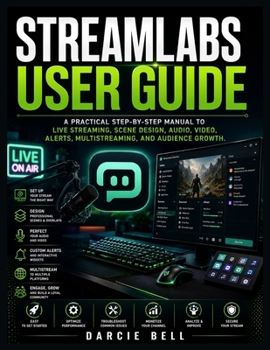
Streamlabs User Guide: A Practical Step-by-Step Manual to Live Streaming, Scene Design, Audio, Video, Alerts, Multistreaming, and Audience Growth.

If you're ready to start streaming but feel overwhelmed by scenes, sources, audio settings, overlays, alerts, video quality, and complicated technical options, you're not alone. Getting Streamlabs to work smoothly can feel frustrating when you don't know which settings to use, how to build a professional layout, or how to troubleshoot problems when something goes wrong.
Streamlabs User Guide provides a practical, beginner-friendly path to help you move from confusion to confidence. Instead of leaving you to figure everything out through trial and error, this guide walks you through the essential features and workflows you need to create polished, reliable, and engaging streams.
Inside, you'll discover how to:
Set up Streamlabs and connect your streaming accounts
Create and organize professional scenes and sources
Configure your camera, microphone, and audio mixer
Improve video quality, resolution, bitrate, and performance
Design attractive overlays, themes, alerts, and interactive widgets
Record gameplay, tutorials, presentations, and other content
Manage multistreaming across different platforms
Engage viewers through chat, commands, polls, giveaways, and rewards
Explore monetization opportunities and build your audience
Optimize Streamlabs for better performance and stability
Troubleshoot common audio, video, capture, login, and streaming problems
Use advanced features, hotkeys, Studio Mode, virtual cameras, and external tools
Protect your account, content, settings, and personal information
Develop an efficient and consistent streaming workflow
Whether you're preparing for your first broadcast or looking to improve an existing channel, this guide helps you understand not just what to change, but why those changes matter. You'll learn practical techniques for creating a smoother production process, improving your presentation, minimizing technical problems, and delivering a better experience for your viewers.
You don't need expensive equipment or advanced technical knowledge to begin. What matters is having the right understanding, a reliable workflow, and the confidence to put your knowledge into practice. With the right approach, Streamlabs can become a powerful tool for turning your ideas into professional-quality live content.
Stop struggling with complicated settings and endless trial and error. Get your copy of Streamlabs User Guide today, follow the practical steps, build your ideal streaming setup, and take the next step toward streaming with greater confidence, professionalism, and control.
Customer Reviews
ThriftBooks ® and the ThriftBooks ® logo are registered trademarks of Thrift Books Global, LLC
