


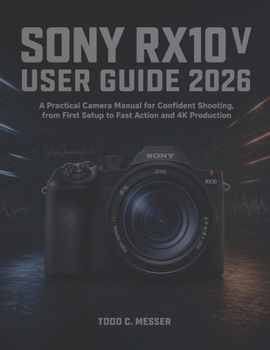
Sony RX10 V User Guide 2026: A Practical Camera Manual for Confident Shooting, from First Setup to Fast Action and 4K Production

The Sony RX10 V can move from a wide travel scene to distant wildlife in seconds, but its speed and flexibility only help when the autofocus, exposure, media, and video settings are working together.
This hands-on guide turns the camera's dense menu system into practical shooting decisions. It explains what the major controls change, why certain combinations work better for particular subjects, and how to build reliable configurations you can return to when conditions become difficult.
Inside, you'll learn how to:
- Set up the camera, choose suitable SD media, manage USB-C power, and establish a dependable starting configuration
- Understand the body controls, function menu, My Menu, custom buttons, memory recall modes, and useful personalization choices
- Use aperture, shutter speed, ISO, metering, white balance, RAW, JPEG, and stabilization with the 24-600mm lens
- Configure AF-S, AF-C, tracking, focus areas, and AI subject recognition for people, animals, birds, vehicles, and aircraft
- Capture wildlife, birds in flight, sports, events, travel scenes, landscapes, portraits, family moments, and close subjects
- Work with high-speed bursts, electronic and mechanical shutters, buffer limits, flicker, and card-performance constraints
- Choose 4K recording modes, slow motion, 8-bit or 10-bit capture, S-Cinetone, S-Log3, audio, and stabilization settings
- Transfer files, use Creators' App features, stream over USB, solve connection problems, and recover from common camera errors
It is written for new RX10 V owners as well as experienced RX10 IV users who need a clear explanation of the newer Sony operating model, AI recognition behavior, current video options, and practical media requirements.
Use the book with the camera beside you, make the short comparisons it recommends, and build a setup based on evidence from the subjects you actually photograph.
Customer Reviews
ThriftBooks ® and the ThriftBooks ® logo are registered trademarks of Thrift Books Global, LLC
