


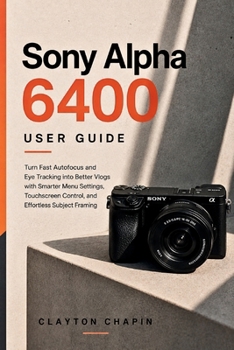
Sony Alpha 6400 User Guide: Turn Fast Autofocus and Eye Tracking into Better Vlogs with Smarter Menu Settings, Touchscreen Control, and Effortless Subject Framing
No Customer Reviews

Your Sony a6400 can do a lot more than point, focus, and shoot.
Sony Alpha 6400 User Guide cuts through the menu maze and shows you how to set up the camera for real-world shooting. Whether you're taking portraits, chasing moving subjects, recording video, or building a simple vlogging setup, you'll learn what to change, where to find it, and why it matters.
Inside, you'll learn how to:
Set up the a6400 from factory defaultsGet more reliable autofocus and Eye AF performanceChoose the right focus area for people and moving subjectsBuild faster Function and My Menu setupsTake control of exposure, ISO, shutter speed, and meteringUse the histogram and zebra patterns to avoid bad exposureConfigure video recording and Picture ProfilesGet cleaner results from S&Q slow- and quick-motion shootingAdjust frame rates and recording settingsSet up the touchscreen and camera controls around the way you shootTroubleshoot common focus, exposure, color, and menu problemsCreate custom settings and memory banks for different shooting situationsNo need to memorize every menu option.
The goal is simple: spend less time hunting through settings and more time getting the shot.
If you own a Sony Alpha 6400 and want to get beyond automatic shooting, this guide gives you a practical path from basic setup to confident control.
Pick up the camera. Set it up right. Start shooting.
Format:Paperback
Language:English
ISBN:B0HFQYHR4T
ISBN13:9798193607717
Release Date:August 2026
Publisher:Independently published
Length:137 Pages
Weight:0.43 lbs.
Dimensions:9.0" x 0.3" x 6.0"
Customer Reviews
0 rating
Copyright © 2026 Thriftbooks.com
Terms of Use | Privacy Policy | Do Not Sell/Share My Personal Information | Cookie Policy | Cookie Preferences | Accessibility Statement
ThriftBooks ® and the ThriftBooks ® logo are registered trademarks of Thrift Books Global, LLC
ThriftBooks ® and the ThriftBooks ® logo are registered trademarks of Thrift Books Global, LLC
