


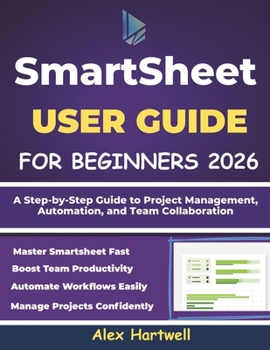
Smartsheet User Guide for Beginners 2026: A Step-by-Step Guide to Project Management, Automation, and Team Collaboration

Are you new to Smartsheet and feeling overwhelmed by its features? This Smartsheet User Guide for Beginners 2026 is a clear, step-by-step handbook designed to help you confidently plan, manage, and automate your work using Smartsheet-even if you've never used a project management tool before.
This guide breaks everything down in plain, easy-to-understand language, making it perfect for beginners, students, professionals, business owners, and teams who want to improve productivity without technical stress. You'll learn how Smartsheet works, how to create and organize sheets, manage tasks and projects, collaborate with team members, and use automation to save time.
Inside this book, you'll discover how to:
Create and manage Smartsheet accounts with ease
Understand the Smartsheet interface, views, and templates
Track tasks, deadlines, and project progress confidently
Collaborate securely with teams using sharing and permissions
Automate workflows, alerts, approvals, and reminders
Build reports and dashboards to visualize progress
Use Smartsheet efficiently on mobile devices
Avoid common beginner mistakes and boost productivity
This 2026 edition covers modern Smartsheet features, workflows, and best practices, making it a practical resource you can rely on for real-world projects. Whether you're switching from Excel or Google Sheets, managing a business, or working in a team environment, this guide will help you work smarter-not harder.
If you're looking for a simple, practical, and beginner-focused Smartsheet guide, this book is the perfect place to start.
Customer Reviews
ThriftBooks® and the ThriftBooks® logo are registered trademarks of Thrift Books Global, LLC
