


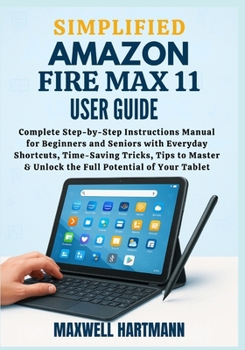
Simplified Amazon Fire Max 11 User Guide: Complete Step-by-Step Instructions Manual for Beginners and Seniors with Everyday Shortcuts, Time-Saving Tri

Disclaimer: This book is an independent educational publication created to help users understand and operate the Amazon Fire Max 11 tablet. It is not affiliated with, authorized, or endorsed by Amazon.
Unlock the Full Power of Your Fire Max 11-Even If You're Not Tech-Savvy
Struggling to make sense of your Amazon Fire Max 11? Tired of vague instructions and endless trial and error?Whether you're brand new to tablets or upgrading from an older device, this Simplified Amazon Fire Max 11 User Guide is your clear, friendly, and frustration-free solution.
Take the Guesswork Out of Setup and Daily Use
This isn't your average instruction manual. It's a carefully written, easy-to-follow companion designed to walk you through every essential feature-from setup and navigation to deeper functions like multitasking, file management, productivity apps, and parental controls. All explained in real language, not tech jargon.
No more confusion, no more missed features. You'll learn:
How to get your Fire Max 11 up and running in minutes
Smart tips for using Alexa, split-screen multitasking, and stylus support
How to protect your device with cases, screen care, and security settings
Built-in features you didn't know existed-and how they make your life easier
The best apps for reading, streaming, working, and more
Troubleshooting shortcuts that actually work
Confidence with Every Tap and Swipe
Whether you're a senior exploring tablets for the first time or someone who just wants the most from their Fire Max 11, this book was made for you. It simplifies everything without dumbing anything down-giving you control, confidence, and comfort while using your device.
It's also the perfect guide for helping family members-like elderly parents or young kids-get the most from their tablets safely and responsibly.
Ready to Master Your Fire Max 11?
Don't waste another minute fumbling through confusing menus or generic online videos. With this guide, you'll feel like an expert in no time-without ever feeling overwhelmed.
Customer Reviews
ThriftBooks ® and the ThriftBooks ® logo are registered trademarks of Thrift Books Global, LLC
