


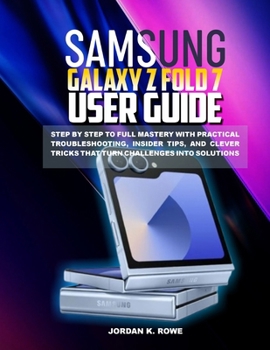
Samsung Galaxy Z Fold 7 User Guide: Step by step to full mastery with practical troubleshooting, insider tips, and clever tricks that turn challenges

The Samsung Galaxy Z Fold 7 isn't just a smartphone - it's a foldable powerhouse that transforms how you work, play, and connect. But to unlock its full potential, you need more than a quick start guide. This book is your step-by-step roadmap from beginner to expert, designed to help you navigate every feature of the Galaxy Z Fold 7 with clarity and confidence. From setting up your device to mastering advanced multitasking, you'll gain the skills to use it smarter, faster, and more efficiently.
Packed with insider tips, clever tricks, and troubleshooting solutions, this guide goes beyond the basics. You'll learn how to turn everyday frustrations into seamless experiences: split-screen multitasking that actually saves time, hidden settings that boost productivity, and troubleshooting shortcuts that get your Fold running like new in minutes. Whether you're customizing the massive inner display, maximizing battery performance, or taking jaw-dropping photos with pro-grade camera modes, this book ensures you make the most of every fold and unfold.
The unique strength of this guide lies in its practical, problem-solving approach. Instead of overwhelming you with technical jargon, it shows you exactly what to do-step by step-so you can enjoy your Galaxy Z Fold 7 with zero guesswork. Beginners will appreciate the clear explanations, while seasoned users will uncover new tricks that turn challenges into creative solutions. With this book at your side, your Fold 7 becomes more than a phone-it becomes your ultimate smart companion.
⭐ What You'll Discover Inside
Getting Started the Right Way
Step-by-step setup made simple
Essential safety, care, and fold durability tips
Understanding Flex Mode and its smart uses
Mastering Everyday Use
Customizing the home screen for efficiency
Essential gestures and hidden navigation tricks
Optimizing battery life without losing performance
Next-Level Productivity
Using multitasking and split-screen like a pro
Seamless app continuity between outer and inner screens
Turning the Fold into a mini laptop with Samsung DeX
Photography & Creativity Unlocked
Pro tips for mastering triple-camera modes
Taking cinematic shots using Flex Mode angles
Editing photos and videos directly on your Fold
Troubleshooting & Fixes
Solving Wi-Fi, Bluetooth, and app glitches fast
Easy fixes for charging and battery issues
When and how to reset without losing data
Insider Tips & Clever Tricks
Secret shortcuts hidden in One UI 6
Lesser-known features that save time daily
How to protect your Fold with smart accessories
This is not just a manual-it's a problem-solving, tip-packed companion that transforms challenges into easy solutions, ensuring you master your Galaxy Z Fold 7 step by step without confusion or wasted time.
Customer Reviews
ThriftBooks® and the ThriftBooks® logo are registered trademarks of Thrift Books Global, LLC
