


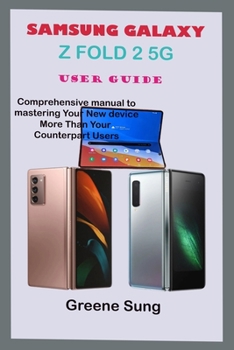
Samsung Galaxy Z Fold 2 5g User Guide: Step By Step Comprehensive Manual To Master Your Samsung Galaxy Z Fold 2 To Enhance Practical Approach To Maste

Welcome to Samsung family once again the newest device in the universe which is Samsung Galaxy Z Fold2 5G affords you opportunity to choose your own hinge color, adding a unique pop of color that will interest all lovers of Samsung smartphones. It harnesses the portability of smartphones and utility of tablets in one piece. The device, which runs on Android v9.0 (Pie) operating system, comes with six cameras to enable you capture high-quality pictures and videos. App Continuity permit you to uncover an app on the cover display and then have the same app immediately fill the larger screen when you unfold the phone and 3-App multitasking or Multi window will interest you to manipulate up to three apps concurrently in a split-screen on the Galaxy Fold's large display. The Galaxy z Fold 2 is Samsung's first foldable smartphone that can fold and open to become smaller and bigger respectively. The device, which runs on Android v9.0 (Pie) operating system, comes with six cameras to enable you capture high-quality pictures and videos. The screen emits reduced blue light, so you can unfold to a tablet-sized viewing experience and enjoy for hours on end. Flex mode lets you fold Galaxy Z Fold2 5G at any angle and hold it any way you like or not hold it at all. This guide is designed for both beginners and current users of the Samsung z fold 2 operating system. So if you want to optimize Samsung Galaxy z fold 2 (2020) performance and increase productivity and efficiency then this is the ideal guide for you. So with Galaxy z fold 2 5G, you can sit back, relax and enjoy the latest technology
HERE IS A PREVIEW OF THE BOOK
Start Using Your DeviceUnboxingFoldedSet Up Your DeviceCharge The BatteryWireless Power ShareUse Your DeviceHow To Use The Setup WizardTransfer Data To Old Phone From To New DeviceLock And Unlocked Your PhoneAccount Set UpNavigation BarPersonalize Your Home ScreenEasy OperationNotification PanelBiometric SecurityFinger Print ScannerConnect Your Device To Your ComputerToolbarCamera And GalleryAr ZoneGalleryUsing AppPicture On Using AppCreate And Use FolderSamsung AppSmart ThingsCalculatorCalendarWorld ClockContactInternetMessagesUse Samsung HealthSettingMonthly BillEthernetDisplaySecurity And Screen LockSamsung PassSecure FolderView PasswordsCredential SaveSave ReportSamsung AccountHearing ImprovementsInteraction And DexterityInteractionsBixbySCROLL UP AND TAP THE BUY NOW ICON TO GET THIS BOOK NOW
Customer Reviews
ThriftBooks ® and the ThriftBooks ® logo are registered trademarks of Thrift Books Global, LLC
