


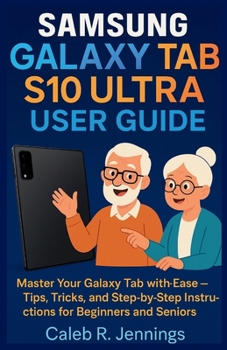
Samsung Galaxy Tab S10 Ultra User Guide: Master Your Galaxy Tab with Ease-Tips, Tricks, and Step-by-Step Instructions for Beginners and Seniors
No Customer Reviews

Unlock the full potential of your Samsung Galaxy Tab S10 Ultra with this easy-to-follow, fully illustrated user guide - expertly written for seniors, beginners, and anyone new to Samsung tablets.
Whether you're upgrading from a previous model or using a tablet for the first time, this complete 2025 handbook takes you from unboxing to mastering the most advanced features of your device. With step-by-step tutorials, clear visuals, and simplified instructions, you'll gain the confidence to navigate your tablet with ease.
Inside This All-in-One Guide, You'll Learn: How to set up your Galaxy Tab S10 Ultra and personalize it to suit your needsHow to navigate DeX Mode for desktop-like productivityHow to use the S Pen for note-taking, drawing, and smart gesturesHow to make calls, send messages, and use WhatsApp on your tabletHow to connect with loved ones using social media apps like Facebook, Instagram, and ZoomHow to enjoy your device for entertainment, YouTube, and 4K video streamingHow to explore powerful Galaxy AI tools like Circle to Search and Live TranslateHow to protect your data with biometric security and backup settingsHow to troubleshoot common problems and optimize battery performanceHow to install and use must-have Android apps for seniorsWhether you're looking to boost productivity, stay in touch with family, or simply get comfortable with your new device, this guide has you covered. ✅ Perfect for seniors, adults, first-time Android users, and gift givers
✅ Covers 2025 features, software, and updates
✅ Bonus appendix with shortcuts, S Pen tips, and app recommendations
Whether you're upgrading from a previous model or using a tablet for the first time, this complete 2025 handbook takes you from unboxing to mastering the most advanced features of your device. With step-by-step tutorials, clear visuals, and simplified instructions, you'll gain the confidence to navigate your tablet with ease.
Inside This All-in-One Guide, You'll Learn: How to set up your Galaxy Tab S10 Ultra and personalize it to suit your needsHow to navigate DeX Mode for desktop-like productivityHow to use the S Pen for note-taking, drawing, and smart gesturesHow to make calls, send messages, and use WhatsApp on your tabletHow to connect with loved ones using social media apps like Facebook, Instagram, and ZoomHow to enjoy your device for entertainment, YouTube, and 4K video streamingHow to explore powerful Galaxy AI tools like Circle to Search and Live TranslateHow to protect your data with biometric security and backup settingsHow to troubleshoot common problems and optimize battery performanceHow to install and use must-have Android apps for seniorsWhether you're looking to boost productivity, stay in touch with family, or simply get comfortable with your new device, this guide has you covered. ✅ Perfect for seniors, adults, first-time Android users, and gift givers
✅ Covers 2025 features, software, and updates
✅ Bonus appendix with shortcuts, S Pen tips, and app recommendations
Format:Paperback
Language:English
ISBN:B0F9KWTS9D
ISBN13:9798284735541
Release Date:May 2025
Publisher:Independently Published
Length:102 Pages
Weight:0.28 lbs.
Dimensions:0.2" x 5.5" x 8.5"
Customer Reviews
0 rating
Copyright © 2026 Thriftbooks.com
Terms of Use | Privacy Policy | Do Not Sell/Share My Personal Information | Cookie Policy | Cookie Preferences | Accessibility Statement
ThriftBooks ® and the ThriftBooks ® logo are registered trademarks of Thrift Books Global, LLC
ThriftBooks ® and the ThriftBooks ® logo are registered trademarks of Thrift Books Global, LLC
