


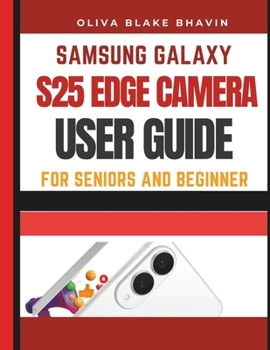
Samsung Galaxy S25 Edge Camera User Guide: SENIORS AND BEGINNERS Easy to Follow Large Print Instructions to Master Your Phone CAMERA in NO-TIME

I've used clear, straightforward language that's easy to follow. Every step is explained in a way that feels like a personal guide, walking you through the process with patience and clarity. No complex terms, no confusion - just simple instructions designed to make your experience effortless.
This guide will teach you how to use your Samsung Galaxy S25 Edge camera like a pro Whether you're a beginner or just looking to enhance your photo and video skills, this guide covers everything from the basics to advanced techniques. Here's what you can expect:
Unboxing and Set Up: Learn how to get started with your phone, including setting it up, charging, and inserting a SIM card.
Personalizing Your Phone: Customize your phone's appearance and settings, like changing wallpapers, adjusting sounds, and enabling dark mode for comfort.
Getting Started with the Camera: Explore how to access your camera, take photos, capture screenshots, and record videos.
Camera Modes and Video Recording: Dive into various camera modes like slow-motion, portrait, and video recording to capture every moment perfectly.
Advanced Camera Features: Master ProRAW, 4K, and 8K video recording, and take full control over your photos and videos with Pro Video Mode.
Practical Camera Features: Discover everyday camera functions like zoom, macro photography, and using Night Mode to take great photos in any setting.
Selfies and Group Shots: Learn tips for perfect selfies and group photos with wide-angle modes and beauty enhancements.
Customizing Your Camera: Fine-tune your camera settings, scene detection, and filters for personal style and creativity.
Advanced Multitasking: Learn how to multitask with features like split-screen mode, picture-in-picture, and app switcher.
Shutter Sound Customization: Adjust or turn off the shutter sound to suit your environment.
Viewing, Sharing, and Printing: Easily view, share, and print your photos and videos with friends and family.
Fun Camera Hacks: Discover how to create GIFs and record in slow-motion for fun and creative effects.
Using Text and QR Codes: Learn how to scan QR codes, scan emails, and use Samsung Quick Share to transfer files.
Privacy and Security: Protect your photos and data with features like fingerprint and face recognition, and use the Secure Folder for extra privacy.
Troubleshooting: Get tips on fixing common camera issues like poor focus, slow performance, or crashes.
By the end of this guide, you'll be able to take photos, record videos, and use your camera's advanced features with ease
Customer Reviews
ThriftBooks® and the ThriftBooks® logo are registered trademarks of Thrift Books Global, LLC
