


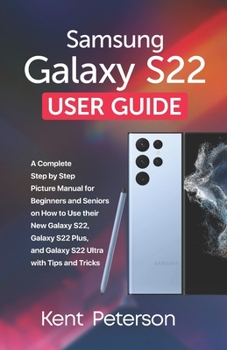
Samsung Galaxy S22 User Guide: A Complete Step by Step Picture Manual for beginners and Seniors on how to use their New Galaxy S22, Galaxy S22 plus a


The new Samsung Galaxy S22, Galaxy S22 Plus, and Galaxy S22 Ultra smartphones have been released. Samsung's new 5G flagship phones have a better camera, a revamped front-and-back Gorilla Glass design, and a powerful new Qualcomm processor. The Galaxy S22 and Galaxy S22 Plus are two different sizes of the same fundamental design. The Galaxy S22 Ultra features a completely unique design that not only distinguishes it from the other two phones, but also allows it to accommodate both quad rear cameras and an integrated S Pen. The camera setup of the Galaxy S22, S22+, and S22 Ultra has been modified in order to provide the Galaxy S series a more consistent look in the future. The camera of the Galaxy S22 and S22+ is positioned midway from the device's horizontal and vertical edges, giving it a more professional appearance. There is a whole lot more features and benefits you can enjoy from purchasing the new S22 series and getting this user guide. Here is a snippet of what you will learn from this guide: New FeaturesLocking and unlocking your deviceBasic specificationsChapter Two: How to Restart your Samsung Galaxy S22 SeriesHow to set up your new deviceNavigating the camera screenHow to use live focusPortrait modeHow to use super slow-moHow to use AR ZoneViewing picturesEditing photosWays to editing photos in Samsung GalleryHow to remove objects and people from photos with GalaxyHow to capture screenshotAbout S PenSamsung NotesAll about Samsung DeXSamsung PayHow to Use Samsung Pay With a Credit CardUsing BixbyBixby Routines: How to Use ThemChapter Eight: How to multi-task while watching a videoDownload Apps from the Google Play StoreDownload Apps from the Galaxy StoreHow to Show or Hide ApplicationsDelete ApplicationsHow to Access and Edit Edge ScreensCreate a PIN or a PatternCreate a Face Recognition SystemInstalling an Ultrasonic Fingerprint ScannerCalendar AppAdd a New Appointment in the Calendar AppEdit an AppointmentDelete or Remove an AppointmentAdd Contacts in the Contacts AppAdd a Photo to Contacts and Edit ContactsDelete ContactsMessaging AppSend a Message through TextReceive a text messageSend a Photo or a VideoHow to Get Rid of a Text MessageText Message for a GroupEnable/disable GPS in Maps and NavigationLocate Places on the MapFind out more about the location and read reviewsCreate a route and use navigation
Format:Paperback
Language:English
ISBN:B09TDT58R9
ISBN13:9798423253851
Release Date:February 2022
Publisher:Independently Published
Length:174 Pages
Weight:0.46 lbs.
Dimensions:0.4" x 5.5" x 8.5"
Customer Reviews
1 rating
Misled about content of book.
Published by Douglas , 3 years ago
I thought I was purchasing a "Manual" on how to use my New S-22+ phone. I was terribly disappointed when 90% of the manual is only on how to use the camera's on the phone. Perhaps if I had "very carefully" read all the info I might not have ordered the book.
It was like I order a banana split and I was given an unripe persimmon pie. Tooey!
I'm going to ask if I can get my money back.
Copyright © 2025 Thriftbooks.com
Terms of Use | Privacy Policy | Do Not Sell/Share My Personal Information | Cookie Policy | Cookie Preferences | Accessibility Statement
ThriftBooks ® and the ThriftBooks ® logo are registered trademarks of Thrift Books Global, LLC
ThriftBooks ® and the ThriftBooks ® logo are registered trademarks of Thrift Books Global, LLC
