


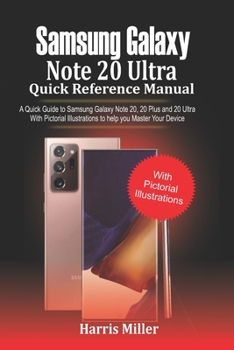
Samsung Galaxy Note 20 Ultra Quick Reference Manual: A Quick Guide to Samsung Galaxy Note 20, 20 plus and 20 Ultra With Pictorial Illustrations to Hel
No Customer Reviews

Devices are coming up with some powerful packages nowadays; if you don't deploy the necessary guide to operating your device, you will be left out in the lurch. This guide explains all the basic things that you will require to operate your Samsung Galaxy Note 20 & Note 20 Ultra; from un-boxing to safety usage.The Samsung Galaxy Note 20 and Note 20 Ultra also come with superb camera features. And for most people that love taking a lot of pictures for the gram, the camera aspect has been well explained to take you from shooting to uploading on your favorite social media platform.The various settings to guide you on how to use your phone have been thoroughly reviewed. In this manual, you will know more about:
EVOLUTION OF THE SAMSUNG NOTE SERIES
FEATURE COMPARISON OF THE SAMSUNG GALAXY NOTE 10 AND NOTE 20 SERIES
NAVIGATING YOUR NEW SAMSUNG
TRANSFER YOUR FILES SEAMLESSLY FROM AN OLD DEVICE TO A NEW DEVICE
TRANSFERRING CONTENTS WIRELESSLY FROM YOUR ANDROID DEVICE TO YOUR SAMSUNG
TRANSFER YOUR FILES FROM YOUR IPHONE TO YOUR NEW SAMSUNG DEVICE
TRANSFER YOUR CONTENT WITH A USB CABLE THAT CAME WITH YOUR DEVICE
TRANSFER YOUR FILES WITH EXTERNAL SD CARD
SIDE KEY SETTINGS
ADDING A GOOGLE ACCOUNT TO YOUR DEVICE
ADDING A SAMSUNG ACCOUNT
ADD AN OUTLOOK ACCOUNT
SET UP VOICEMAIL
CUSTOMIZING YOUR DEVICE'S HOME SCREEN
THE SAMSUNG PEN (S PEN)
AIR ACTIONS
SETTING THE S PEN SHORTCUT
ANYWHERE ACTIONS
APP ACTIONS
AIR VIEW
AIR COMMAND
CONFIGURE S PEN SETTINGS
CUSTOMIZE YOUR SAMSUNG DAILY
Bixby Routines
Bixby Vision
CAMERA
EXPLORING DIGITAL WELLBEING AND PARENTAL CONTROLS
FACE RECOGNITION MANAGEMENT
FINGERPRINT MANAGEMENT
FINGERPRINT VERIFICATION SETTINGS
SAMSUNG DeX
USING MULTIPLE APPLICATIONS AT THE SAME TIME
THE EDGE SCREEN
CONFIGURE EDGE PANELS
EDGE PANEL POSITION
EDGE PANEL STYLE
EDGE LIGHTING
ACTIVATE EMERGENCY MODE
AUGMENTED REALITY FEATURES (AR)
AND LOTS MORETake a copy of this guide by clicking on the BUY WITH 1-CLICK Button and start enjoying your device
EVOLUTION OF THE SAMSUNG NOTE SERIES
FEATURE COMPARISON OF THE SAMSUNG GALAXY NOTE 10 AND NOTE 20 SERIES
NAVIGATING YOUR NEW SAMSUNG
TRANSFER YOUR FILES SEAMLESSLY FROM AN OLD DEVICE TO A NEW DEVICE
TRANSFERRING CONTENTS WIRELESSLY FROM YOUR ANDROID DEVICE TO YOUR SAMSUNG
TRANSFER YOUR FILES FROM YOUR IPHONE TO YOUR NEW SAMSUNG DEVICE
TRANSFER YOUR CONTENT WITH A USB CABLE THAT CAME WITH YOUR DEVICE
TRANSFER YOUR FILES WITH EXTERNAL SD CARD
SIDE KEY SETTINGS
ADDING A GOOGLE ACCOUNT TO YOUR DEVICE
ADDING A SAMSUNG ACCOUNT
ADD AN OUTLOOK ACCOUNT
SET UP VOICEMAIL
CUSTOMIZING YOUR DEVICE'S HOME SCREEN
THE SAMSUNG PEN (S PEN)
AIR ACTIONS
SETTING THE S PEN SHORTCUT
ANYWHERE ACTIONS
APP ACTIONS
AIR VIEW
AIR COMMAND
CONFIGURE S PEN SETTINGS
CUSTOMIZE YOUR SAMSUNG DAILY
Bixby Routines
Bixby Vision
CAMERA
EXPLORING DIGITAL WELLBEING AND PARENTAL CONTROLS
FACE RECOGNITION MANAGEMENT
FINGERPRINT MANAGEMENT
FINGERPRINT VERIFICATION SETTINGS
SAMSUNG DeX
USING MULTIPLE APPLICATIONS AT THE SAME TIME
THE EDGE SCREEN
CONFIGURE EDGE PANELS
EDGE PANEL POSITION
EDGE PANEL STYLE
EDGE LIGHTING
ACTIVATE EMERGENCY MODE
AUGMENTED REALITY FEATURES (AR)
AND LOTS MORETake a copy of this guide by clicking on the BUY WITH 1-CLICK Button and start enjoying your device
Format:Paperback
Language:English
ISBN:B08GRKGFF8
ISBN13:9798678019998
Release Date:August 2020
Publisher:Independently Published
Length:132 Pages
Weight:0.41 lbs.
Dimensions:0.3" x 6.0" x 9.0"
Customer Reviews
0 rating
Copyright © 2025 Thriftbooks.com
Terms of Use | Privacy Policy | Do Not Sell/Share My Personal Information | Cookie Policy | Cookie Preferences | Accessibility Statement
ThriftBooks ® and the ThriftBooks ® logo are registered trademarks of Thrift Books Global, LLC
ThriftBooks ® and the ThriftBooks ® logo are registered trademarks of Thrift Books Global, LLC
