


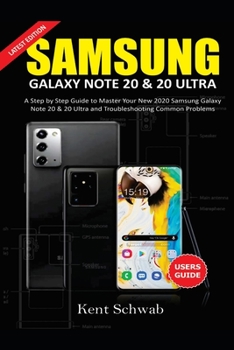
Samsung Galaxy Note 20 & 20 Ultra User Guide: A Step by Step Guide to Master Your New 2020 Samsung Galaxy Note 20 Series and Troubleshooting Common Pr
No Customer Reviews

UNLEASH THE FULL POTENTIAL OF YOUR NEW SAMSUNG GALAXY NOTE 20 AND 20 ULTRA LIKE A PRO The famous Smartphone producers just launched two powerful Smartphones on August 5th, 2020. Samsung is an Android producer whose smart devices are always different from any other company. The company just introduced two outstanding Galaxy Series, which are the Galaxy note 20 and 20 ultra. This new Galaxy series is the most updated Android Devices as at today, with incredible features intact and mind-blowing specifications and performance, the Galaxy note 20 and 20 ultra are already nicknamed the power phone. If you're thinking about getting the newly produced device, or if you already placed a pre-order, you might be looking for a guide to put you through the new features, and How-Tos of the Samsung Galaxy note 20 and 20 ultra. You have just come across the best Guide that explains keenly everything about the newly made Samsung Galaxy note 20 and 20 ultra. This guide will teach you the primary things you need to know about your new device and how you can use it to its full Potential. Many individuals don't know much about their Smart Devices; they leave the features dormant without using them thereby reducing the value of the smartphone, reading a guide gives you knowledge of Hidden Features that your device possess. You may ask, what will I learn by reading this guide? See Some of the Things You'll Learn Below: Starting up your Samsung note 20 and 20 UltraHow to collect previous device dataThe new features of Samsung galaxy note 20 and 20 ultraHow to connect your note 20 to a printerHow to use In-Built Samsung AppsHow to use the Pro video recording featureHow to manage notifications settingsHow to use the sound settingsHow to set app permissionsHow to Install software updatesHow to use the Charging and wireless charging featuresHow to use the Samsung notes appKnowing your AccessoriesHow to use Accessibility settingsHow to use the Smart awake featureHow to set screensaverHow to changing wallpapersHow to beautify your home screenHow to set different types of fontHow to set night mode and blue filterHow to increase screen brightnessHow to reset your Samsung deviceHow to set device lock typesHow to insert a SIMCARD on note 20 and 20 ultraHow to install apps from unknown sourcesHow to install and uninstall AppsKnowing more features of the Samsung device Knowing the specifications of your deviceBattery capacity and time spanAnd much more..Listed above are just the tip of the iceberg; going deeper into this guide, you'll learn more than you can imagine. Start reading your guide, and enjoy your device using its full potential.So what are you waiting for? Scroll up you will see the orange "BUY NOW" button on the top right corner and download your copy now See you inside
Format:Paperback
Language:English
ISBN:B08GBCW5NJ
ISBN13:9798676649975
Release Date:January 1
Publisher:Independently Published
Length:106 Pages
Weight:0.34 lbs.
Dimensions:0.2" x 6.0" x 9.0"
Customer Reviews
0 rating
Copyright © 2025 Thriftbooks.com
Terms of Use | Privacy Policy | Do Not Sell/Share My Personal Information | Cookie Policy | Cookie Preferences | Accessibility Statement
ThriftBooks ® and the ThriftBooks ® logo are registered trademarks of Thrift Books Global, LLC
ThriftBooks ® and the ThriftBooks ® logo are registered trademarks of Thrift Books Global, LLC
