


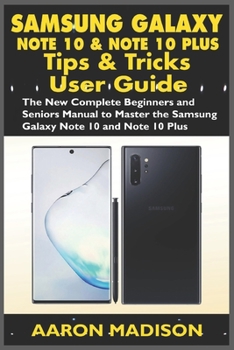
Samsung Galaxy Note 10 and Note 10 Plus Tips & Tricks User Guide: The New Complete Beginner and Seniors Manual to Master the Samsung Galaxy Note 10 an
No Customer Reviews

New Comprehensive Guide for Samsung Galaxy Note 10 and Note 10+ The Samsung Galaxy Note 10 and Note 10+ is the smartest, biggest and innovative of Samsung's Note series, with a cutting edge display and features such as; dark mode, text to speech, face recognition, dual messenger, always on display, transcription and export of written texts, wireless backup and restore and a new camera feature. There's so much that you can get overwhelmed, but don't worry; this comprehensive manual will teach you everything you need to know about the Samsung Galaxy Note 10 and Note 10+ including shortcuts, tips, and tricks to get the most out of the device. This guide has been arranged to suit both beginners and old users of Samsung Galaxy Note device, including switchers from Apple's iPhone and other Android switchers. So, if you really want to optimize your Samsung Galaxy Note 10 and Note 10+ and master all the features, settings and functions with ease, then this guide is a must-have; the guide is complete, illustrative, and easy to understand. Here's a preview of what you'll learn from this guide: Differences between Galaxy Note 10 and the Galaxy Note 10+How to setup Galaxy Note 10 & Note 10+Charging and BatteryTurn On/Off Power with Bixby and other methodsChange Side Key FunctionSchedule Auto Restart FeatureHow to enable Wireless ChargingBackup and Restore with Samsung and Google accountTransferring Data WirelesslySync Contacts with Web AccountsSetup Samsung PayLock and Unlock MicroSD cardUnlock MicroSD cardSet up d104 to speechSetup Fingerprint SensorSet up Face RecognitionEnable Full-Screen GesturesTurn on Night modeCustomize Skin Tone SmoothingDisable Secure Wi-FiChange the Screen ModeFind My MobileHow to use the S PenEnable Always On DisplayEnable Lift to WakeEnable Smart StayChange Home Screen LayoutDrawing with AR DoodlesHow to Use AR DoodleHow to ScreenshotTurn on Dolby AtmosTranscribe and Export Written NotesTranslate d104 with S PenSplit-Screen MultitaskingEnable Pin Windows FeatureEnable Lockdown ModeSamsung Secure FolderHow to setup Dual MessengerBixby RoutinesSamsung Health Tips and TricksHow to use the new Samsung CameraTroubleshootingAnd lots more tips and tricks Don't wait, get this guide now by clicking the BUY NOW button and learn everything about your Samsung Galaxy Note 10 and Note 10+
Format:Paperback
Language:English
ISBN:1707908257
ISBN13:9781707908257
Release Date:January 1
Publisher:Independently Published
Length:102 Pages
Weight:0.32 lbs.
Dimensions:0.2" x 6.0" x 9.0"
Related Subjects
ReferenceCustomer Reviews
0 rating
Copyright © 2026 Thriftbooks.com Terms of Use
| Privacy Policy | Do Not
Sell/Share My Personal Information | Cookie Policy | Cookie Preferences | Accessibility Statement
ThriftBooks® and the ThriftBooks® logo are registered trademarks of Thrift Books Global, LLC
ThriftBooks® and the ThriftBooks® logo are registered trademarks of Thrift Books Global, LLC
