


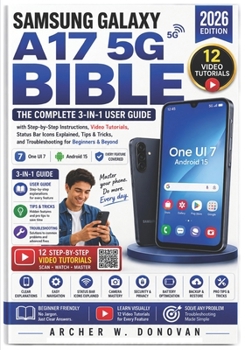
Samsung Galaxy A17 5G Bible: The Complete 3-in-1 User Guide with Step-by-Step Instructions, Video Tutorials, Status Bar Icons Explained, Tips & Tricks

MASTER YOUR SAMSUNG GALAXY A17 5G COMPLETELY -- EVEN IF YOU HAVE NEVER OWNED AN ANDROID PHONE AND EVERY ICON ON YOUR SCREEN IS A COMPLETE MYSTERY
You picked up your new Galaxy A17 5G and the confusion started immediately.
What does that symbol at the top of the screen actually mean?
How do you delete a call from your history without deleting everything?
You opened another guide and found no screenshots, wrong swipe directions, and instructions that do not match your actual screen.
You paid for help and got more confusion than you started with.
Here is what every other Galaxy guide gets wrong.
They assume you already know what every icon means.
They skip the basic questions real users actually ask.
And they leave out the one thing every new Galaxy owner searches for first.
How to delete calls, messages, and voicemail -- step by step, without guessing.
This book was written specifically to fix everything those guides got wrong.
That ends today.
Introducing the Samsung Galaxy A17 5G Complete Guide 2026, the only guide that explains every icon, shows you how to delete calls and messages, and includes video tutorials you can watch in real time.
Everything inside was verified on a real Galaxy A17 5G -- every gesture, every setting, every step.
Here is what makes this guide different:
Chapter 4 -- Every status bar icon explained -- left side, right side, Quick Panel toggles, notification badges, and lock screen indicators fully decodedChapter 5 -- How to delete calls, messages, and voicemail -- single calls, entire history, individual messages, and whole conversations covered step by step12 video tutorials -- scan the QR code beside each chapter and watch a real demonstration before you try it yourself30 hidden features -- double-press shortcuts, split-screen, Edge Panels, Secure Folder, and features most owners never findIllustrations throughout -- no more walls of text and zero visual referenceEvery gesture verified -- tested on the actual device so no instruction sends you the wrong directionComplete coverage across 20 plus chapters:
Unboxing, hardware, and first-time setup with every screen walked throughEvery status bar icon and symbol fully decodedPhone calls, messages, and voicemail with complete delete instructionsCamera mastery covering all modes, tips, and Pro ModeSecurity, privacy, Knox, Find My Mobile, and two-factor authenticationSamsung apps, One UI 7, connecting to TVs, Bluetooth, and printersDeveloper Options, Good Lock, and Routines for advanced usersComplete Quick Reference, 35-term glossary, and 12-entry FAQBuilt directly from real one-star reviews of competing guides.
"Does not explain symbols" -- Chapter 4 fixes that completely.
"No screenshots or drawings" -- Illustrations appear throughout every chapter.
"Does not explain how to delete calls" -- Chapter 5 covers every scenario.
"Errors in directional swipes" -- Every gesture verified on the actual device.
Perfect for first-time smartphone users, Android beginners, and anyone frustrated by guides that leave out the basics.
Your Galaxy A17 5G is more capable than you realize.
This book makes sure you discover all of it -- clearly, completely, and without frustration.
Scroll up and grab your copy today -- no more mystery icons, no more guessing, no more guides that let you down.
Customer Reviews
ThriftBooks ® and the ThriftBooks ® logo are registered trademarks of Thrift Books Global, LLC
