


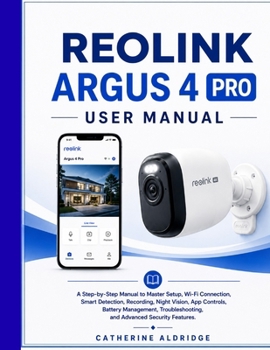
Reolink argus 4 pro user manual

REOLINK ARGUS 4 PRO USER MANUAL
Set Up Your Camera. Understand Every Feature. Get More From Your Security System.
Have you just purchased the Reolink Argus 4 Pro and want a clear, practical guide that shows you what to do without unnecessary technical jargon?
This user manual is designed to help you move from unboxing your camera to confident everyday use.
Whether you're setting up the Argus 4 Pro for the first time or looking for better ways to use features you already have, this guide gives you straightforward instructions you can follow at your own pace.
Inside This Manual, You'll Learn How To:
Set up and prepare your Reolink Argus 4 Pro
Charge and power the camera correctly
Install the Reolink app and create your account
Connect the camera to your Wi-Fi network
Choose a suitable mounting position
Adjust the viewing angle for better coverage
Navigate the Reolink app and dashboard
Use Live View and essential camera controls
Manage recordings and storage
Use microSD card and cloud storage options
Configure recording modes and schedules
Play back, download, and manage video clips
Configure motion, person, vehicle, and animal detection
Adjust alerts and alarm settings
Use the spotlight, siren, and two-way audio
Improve video quality and connection stability
Manage battery usage and extend operating time
Connect with Amazon Alexa and Google Assistant
Use the camera with a compatible Reolink Home Hub
Create time-lapse videos
Manage remote access and camera permissions
Update firmware and app software
Solve common setup and performance problems
Apply practical security and privacy practices
Written for Real-World Use
You don't need to be a security technician or networking expert to follow this guide. The instructions use clear language and practical explanations, helping you understand not only what to do, but also why a particular setting or adjustment may be useful.
From your first connection to advanced settings and troubleshooting, each section is designed to help you use your Argus 4 Pro with greater confidence.
Set it up. Connect it. Customize it. Monitor what matters.
If you want a practical reference for getting started with and managing your Reolink Argus 4 Pro, this manual gives you the guidance you need in one convenient place.
kindly, click on the link to get yours now
Customer Reviews
ThriftBooks ® and the ThriftBooks ® logo are registered trademarks of Thrift Books Global, LLC
