


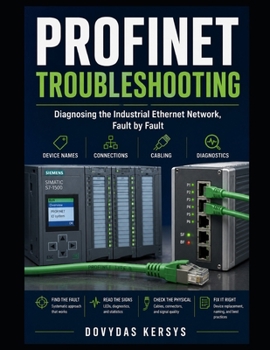
PROFINET Troubleshooting: A Practical Guide to Device Names, Network Connections, Industrial Ethernet Cabling, Diagnostics, and Systematic Fault-Findi

A PROFINET device disappears from the network. The BF light starts flashing. Several remote I/O stations fail at once. A replacement device powers up but refuses to connect. The fault may look complicated, but in many cases the cause is surprisingly simple: a damaged cable, loose connector, wrong device name, duplicate address, poor shielding, or configuration mismatch.
PROFINET Troubleshooting is a practical guide for maintenance technicians, industrial electricians, automation engineers, and students who need to diagnose industrial Ethernet faults systematically rather than replace devices at random.
The book explains how PROFINET works in the practical terms needed for maintenance. You will learn how controllers and devices communicate, how device names and IP addresses are assigned, how cyclic I/O exchange is monitored, and how the network decides that a device has failed.
Inside, you will learn how to:
Understand PROFINET controllers, devices, and cyclic communicationInterpret update times, watchdog faults, and lost connectionsUnderstand device names, IP addresses, DCP, and GSD filesDiagnose wrong, missing, and duplicate device namesInspect industrial Ethernet cables, connectors, and shieldingUnderstand line, star, and ring network topologiesUse the pattern of failed devices to localize a network breakRead LINK, activity, BF, SF, and device-status LEDsCheck switches, ports, and built-in two-port device switchesInterpret port statistics, CRC errors, and discarded framesDiagnose intermittent faults caused by movement, vibration, heat, or electrical noiseInvestigate devices that connect and disconnect repeatedlyUse controller, device, and topology diagnosticsSeparate physical-layer faults from configuration and timing problemsDiagnose network-load and communication-timing issuesReplace a failed device and assign the correct PROFINET nameUse cable testers and network-analysis tools effectivelyDocument topology and apply preventive maintenance practicesThe book emphasizes a simple troubleshooting approach:
Look first. Let the network talk. Suspect the physical layer. Check the device name.
Status LEDs often reveal the first clue before a laptop is connected. Diagnostic buffers, topology views, and device diagnostics then show where communication failed. Because many real PROFINET faults are caused by cables, connectors, shielding, or incorrect device identity, the book teaches you to check the most likely causes first.
Practical examples cover situations such as:
A device that will not establish a connectionMultiple devices disappearing downstream of one network breakA replacement module that has not been assigned the correct nameTwo devices configured with the same PROFINET nameA cable failing intermittently inside a moving drag chainCRC error counts increasing because of a damaged connectorCommunication faults that appear only when a VFD or other noisy equipment runsA network device repeatedly exceeding its watchdog timeThe examples lean toward Siemens systems and TIA Portal diagnostics, while the principles apply to PROFINET networks from different manufacturers. The book also covers copper and fibre connections, managed switches, network topology, device replacement, and preventive practices.
Whether you are facing a complete network failure or an intermittent problem that disappears before you can test it, this guide will help you approach PROFINET faults calmly, logically, and confidently.
Read the LEDs. Follow the topology. Find the fault.
Customer Reviews
ThriftBooks ® and the ThriftBooks ® logo are registered trademarks of Thrift Books Global, LLC
