


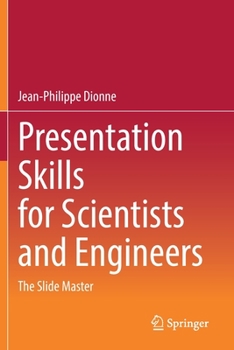
Presentation Skills for Scientists and Engineers: The Slide Master

Select Format
Select Condition 
Book Overview
INTRODUCTION
1.0 - Introduction to this book
1.1 - Get inspired by documentaries
BASICS
2.0 - Don't compete with yourself! Avoid text
2.1 - Provide visual info exactly when needed
2.2 - Stick to the same fonts
2.3 - Leave the template aside
2.4 - Choose a white background
2.5 - Use color! But don't abuse!
2.6 - Choose the right screen ratio
2.7 - International audience?2.8 - Slides reviewed for approval?
ANIMATIONS
3.0 - Avoid fancy animations3.1 - Option 1: Animate on multiple slides
3.2 - Option 2: Use animation tools
3.3 - Group to facilitate animations
3.4 - Animate your bullet points3.5 - Apply exact positioning
3.6 - Do you use too many animations?
3.7 - Introduce "pop-ups"
3.8 - Maximum number of slides allowed? Use animations!
IMAGES
4.0 - Use simple and clean photographs
4.1 - Avoid close-up photos!4.2 - Complement with Internet images
4.3 - Generate your own silhouettes
4.4 - Use the screen capture button
4.5 - Use CAD, FEA software to generate illustrations4.6 - A bit of Photoshop
4.7 - No Photoshop or equivalent?
4.8 - Layout images for perfect balance
4.9 - Grey out images to remove emphasis
VIDEOS
5.0 - Limit the number of movies
5.1 - Automatic or manual activation?5.2 - Replace videos by series of still images
5.3 - Generate your own short videos/animations
5.4 - Your video does not work?
5.5 - Should you use sound?
GRAPHS
6.0 - Invest time on your graphs
6.1 - A graph for each key finding
6.2 - Favor histograms vs. scatter plots
6.3 - Make data points clearly visible6.4 - Use minimalist axes and grids
6.5 - Apply legends directly on data
6.6 - Use icons and images on graphs
6.7 - Add values directly on graphs6.8 - Beware when zooming histograms
6.9 - Animate your graphs
6.10 - Show credibility
6.11 - Change the graph's aspect ratio
TABLES
7.0 - Replace tables by graphs
7.1 - Create tables "externally"7.2 - Animate your tables
7.3 - Use icons in your tables
MATHS
8.0 - Avoid math and equations
8.1 - Use just enough significant digits
8.2 - Put values in perspective
8.3 - Manage metric vs. Imperial units
STRUCTURE
9.0 - What to do with the cover page?
9.1 - Ditch the table of contents9.2 - Keep track of progress?
9.3 - Use appropriate slide titles
9.4 - Start with a question, or odd fact
9.5 - Have clear objectives and scope9.6 - Use "flashbacks" as conclusion
9.7 - Use last slide for acknowledgments
INTERACTIONS
10.0 - Get interactive! Use action buttons
10.1 - Use existing slide elements as action buttons
10.2 - Take advantage of action buttons during the question period
PRACTICE
11.0 - Never learn your text by heart
11.1 - Short talk, long practice (and vice-versa)
11.2 - Second language? Avoid t
Related Subjects
Engineering Science Science & Math Science & Scientists Science & Technology TechnologyCustomer Reviews
ThriftBooks ® and the ThriftBooks ® logo are registered trademarks of Thrift Books Global, LLC
