


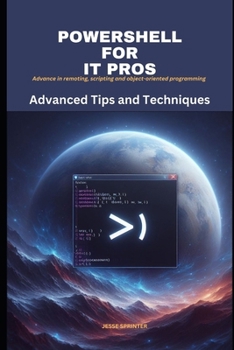
Powershell for IT Pros: Advanced Tips and Techniques
No Customer Reviews

PowerShell for IT Pros: Advanced Tips and Techniques is a comprehensive guide to mastering PowerShell, the powerful scripting language that can be used to automate and manage Windows systems. This book covers everything from the basics of PowerShell to advanced topics such as remoting, scripting, and object-oriented programming. Whether you are a seasoned PowerShell user or a beginner, this book has something for you. It is packed with practical examples and real-world solutions to help you automate your tasks and streamline your workflow. Here are just a few of the things you will learn in this book: How to use PowerShell to automate tasks such as user management, file management, and system administration How to write PowerShell scripts to automate complex workflows How to use PowerShell to remotely manage Windows systems How to use PowerShell to create custom objects and functions How to use PowerShell to manage Active Directory How to use PowerShell to secure your Windows systems This book is ideal for IT professionals who want to learn how to use PowerShell to automate their tasks and streamline their workflow. It is also a great resource for anyone who wants to learn more about PowerShell scripting and object-oriented programming. Here are some specific examples of how you can use PowerShell to automate your tasks and streamline your workflow: Use PowerShell to automate the deployment of new Windows systems. You can write a PowerShell script to automatically install Windows, configure the system settings, and install the necessary software applications. Use PowerShell to automate the management of user accounts. You can write a PowerShell script to automatically create new user accounts, update user accounts, and delete user accounts. Use PowerShell to automate the backup and recovery of your systems. You can write a PowerShell script to automatically back up your systems on a regular basis and restore them from backup if necessary. Use PowerShell to automate the monitoring of your systems. You can write a PowerShell script to automatically monitor your systems for performance problems and security threats. These are just a few examples of how you can use PowerShell to automate your tasks and streamline your workflow. With PowerShell, the possibilities are endless
Format:Paperback
Language:English
ISBN:B0CLY9BJP8
ISBN13:9798865571315
Release Date:October 2023
Publisher:Independently Published
Length:198 Pages
Weight:0.82 lbs.
Dimensions:0.5" x 6.0" x 9.0"
Customer Reviews
0 rating
Copyright © 2026 Thriftbooks.com Terms of Use
| Privacy Policy | Do Not
Sell/Share My Personal Information | Cookie Policy | Cookie Preferences | Accessibility Statement
ThriftBooks® and the ThriftBooks® logo are registered trademarks of Thrift Books Global, LLC
ThriftBooks® and the ThriftBooks® logo are registered trademarks of Thrift Books Global, LLC
