


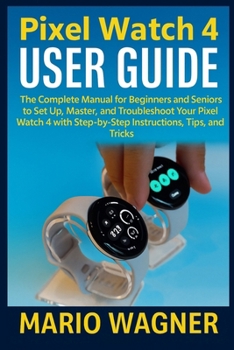
Pixel Watch 4 User Guide: The Complete Manual for Beginners and Seniors to Set Up, Master, and Troubleshoot Your Pixel Watch 4 with Step-by-Step Instr

Pixel Watch 4 User Guide: The Complete Manual for Beginners to Set Up, Master, and Troubleshoot Your Pixel Watch 4 with Step-by-Step Instructions, Tips, and Tricks
If you've just gotten your hands on the Pixel Watch 4 or are thinking about it, this guide is exactly what you need. Whether you're new to smartwatches or upgrading from another device, this book will walk you through every step-from setting up your watch to getting the most out of its features.
In this guide, you'll find:
Easy Setup Instructions: A straightforward, step-by-step guide to syncing your Pixel Watch 4 with your smartphone, so you can start using it right away.
Pixel Watch 4 Features: Learn all about the powerful features your watch has to offer, including heart rate monitoring, fitness tracking, and the ECG sensor.
Customization Tips: Want to personalize your watch face, tweak notifications, or change settings? This book shows you exactly how to make it your own.
Maximizing Battery Life: Discover the best tips to extend your watch's battery life, including how to use Battery Saver Mode effectively.
Advanced Health Features: Dive into tracking your SpO₂ levels, heart rate, sleep patterns, and even learn how to set up and use the ECG sensor to monitor your heart's rhythm.
Troubleshooting Common Issues: Running into problems with your watch? This guide offers solutions to everything from fitness tracking problems to connectivity issues.
Power Modes & Emergency Features: Learn about features like Fall Detection and Emergency SOS, which could be a lifesaver when you need them.
This guide is designed for everyone, whether you're a first-time user or someone looking to master the Pixel Watch 4. With clear instructions and plenty of tips and tricks, you'll get the most out of your watch and learn how to handle any issues that pop up.
The Pixel Watch 4 is all about making your life easier-whether it's through fitness tracking, staying connected, or controlling your smart home with Google Assistant. This book will help you unlock the full potential of your watch.
Customer Reviews
ThriftBooks ® and the ThriftBooks ® logo are registered trademarks of Thrift Books Global, LLC
