


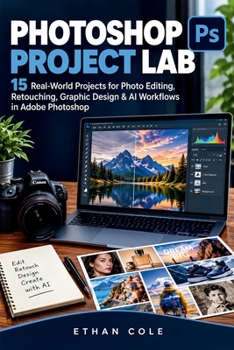
Photoshop Project Lab: Real-World Projects for Photo Editing, Retouching, Graphic Design & AI Workflows in Adobe Photoshop

Stop Watching Photoshop Tutorials. Start Creating Real Projects.
Adobe Photoshop becomes much easier when you stop trying to memorize every tool and start using it to solve real visual problems.
Photoshop Project Lab is a practical, project-driven guide designed to help you build useful Photoshop skills by actually creating things. Instead of giving you a long list of tools and technical definitions, this book takes you through 15 real-world projects covering photo editing, portrait retouching, graphic design, compositing, product imagery, and modern AI-assisted workflows.
You'll learn how to approach a project, choose the right tools, refine your work, and turn an ordinary image into a polished result.
Inside the book, you'll learn how to:
Edit and enhance everyday photographs
Work confidently with layers, selections, and masks
Remove unwanted objects and change backgrounds
Retouch portraits while keeping them natural
Restore and improve old photographs
Create YouTube thumbnails and social media graphics
Design professional product images
Build advertisements and promotional posters
Create realistic photo composites
Improve travel and landscape photographs
Use Photoshop's modern AI-assisted tools
Inspect and correct unwanted AI-generated results
Bring multiple Photoshop skills together in a complete client-style project
Built Around Projects, Not Just Tools
Each project gives you a practical reason to use what you're learning.
You'll learn to think through a Photoshop task:
Observe → Plan → Create → Refine → Inspect → Export
This approach helps you develop something more valuable than simply memorizing where Photoshop's buttons are: the ability to recognize a visual problem and know how to solve it.
Learn Photoshop With AI Without Losing Creative Control
Modern Photoshop can speed up many tasks with AI, but generated results still need a human eye.
This book shows you how to use AI as part of your workflow while checking for problems such as unnatural edges, incorrect lighting, strange textures, distorted objects, and unrealistic details.
The principle is simple:
Use AI for speed. Use Photoshop for control.
Whether you're learning Photoshop for personal projects, content creation, photography, graphic design, freelancing, or simply want to become more confident with your images, Photoshop Project Lab gives you practical projects to work through instead of leaving you wondering what to do after the tutorial ends.
Open Photoshop. Pick a project. Follow the steps. Create something real.
Customer Reviews
ThriftBooks ® and the ThriftBooks ® logo are registered trademarks of Thrift Books Global, LLC
