


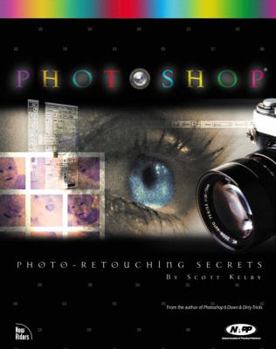
Photoshop: Photo Retouching Secrets

Not a color correction book, or a scanning manual, this book covers the topic: retouching images to make them look better. It shows you feathering tricks, cropping and straightening tricks, tips, and... This description may be from another edition of this product.
Format:Paperback
Language:English
ISBN:0735711461
ISBN13:9780735711464
Release Date:January 2001
Publisher:New Riders Pub
Length:245 Pages
Weight:1.83 lbs.
Dimensions:9.8" x 0.3" x 7.8"
Customer Reviews
5 ratings
Amateur finally understands
Published by Thriftbooks.com User , 24 years ago
Once I got into the Photoshop 6.0 program, I began to drown. I've spent over 200 bucks collecting a variety of how-to-do-this-with-Photoshop books. All of them are sort-of readable and relevant to some degree.Scott Kelby's approach in Photo-Retouching Secrets is the most Earth-bound approach. He is the author of many of the books on the basics of digital retourching...here, he goes straight for what I needed...step by step to do this or that. How do I shine up someone's teeth or get rid of a pimple or bring out a grayed photo? He is very impressive how little he asks me to understand about the technical stuff and how much he can get me to act like a pro.Scott, you are super. Thanks. --marv
Another winner for Scott Kelby and Photoshop enthusiasts!
Published by Thriftbooks.com User , 24 years ago
(...) JUST A FEW OF MY FAVORITE TUTORIAL CHAPTERS INCLUDE...Cloning Tips and Tricks — I loved the tutorial where Scott totally clones out a young woman sitting on the grass in front of a barn. He literally removes her and rebuilds the fence slat-by-slat, and plants new grass where she was sitting. When he gets done with the retouching you can't even tell anyone was sitting there or that the barn was not built that way originally. (Most of us have cloned, but there are a few tricks to be learned to make the finished product look more authentic.)Digital Plastic Surgery — Digitally perform surgery. Learn how to remove aging wrinkles, repair a crossed-eye with a normal eye, give a young woman a nose-job, brighten yellowed teeth, remove braces, blemishes, red eye, and more.Repairing Damaged Images — This chapter was of special interest to me as I had take a bunch of pictures about a year ago. The batteries were going in my digital camera, and I did not realize this, until I looked at the pictures and there were horizontal line covering the entire photo. It almost looked like venetian blinds. Had I had this book I could have saved the images instead of having to delete them because of the imperfection. -- Here you will find four tutorials.How to Clean Up LineArt — The best part of this chapter was to learn how to turn any graphic — whether it is a photograph or a Photoshop image that you created earlier — into LineArt. I completely changed the look of graphic images I created more than a year ago to look like brand new original creations. What a find this is. To me, this was worth the price of the book.Other Retouching Dirty Tricks — This chapter is a catch-all for all the tutorials which do not fall under any specific category. Learn how to: - Bring back lost color in the shadows of a photo Create a Polaroid effect out of a digital photograph or image, by creating a border around the photo and/or image, and them making it curl as if it was sitting on a table — with a shadow on the table - Create a glamour photo effect, by making the photo look soft and dreamy, and a little blurry- Create motion effects to backgrounds Create a background vignette effect — This one is cool, instead of removing the background of the image as is done traditionally in a vignette, the background is kept in and put in a blurred state.- Add starbursts — I always wondered how to do this - Change color quickly — Another cool trick. Change the color of an item or part of one in a photograph or image on a whim - Photo-Collaging Techniques — What would any book be without at least a few tutorials about using the layer mask feature to create a collage or to add an object to an existing photograph or image and make it look like it was there originally. Here you will learn both techniques.MY MOST FAVORITE CHAPTERIn the work that I am doing with my Judaic Greeting Cards and Graphics, and my newly created World Trade Center Tribute Greeting Card site, the chapter *How to Clea
Another Permanent Tool in my Photoshop Toolbox
Published by Thriftbooks.com User , 25 years ago
This book is a clean, concise and meaty work of art. How's that for an opener? By clean, I mean that the presentation is not cluttered with too many words or unnecessary asides. Graphics are only what's necessary, large and clear. The process flow is exact and each tutorial is full of the type information I look for. Needless to say, I like this book very much.As a proud owner of Scott Kelby's "Photoshop Down and Dirty & Tricks", I was anticipating another gem coming from Scott's laptop. I was not disappointed. "Photo Retouching Secrets" covers material that can also be used in non-photo related graphics. If you have a damaged photograph this is the place to come for assistance. As the back cover says, "...No boring chapters...just how to repair, enhance, and retouch photos like a pro!" I think if I read enough of Scott's books I'll become a Photoshop pro.From Cloning Tips to Digital Plastic Surgery, from Getting Your Color on Track to Photo-Collaging Techniques you will find what you need. Add to this dozens of good down and dirty tricks along the way and you'll have a Photoshop adventure. Folks, Photoshop is truly amazing and in the hands of a guru it becomes a magic show. Scott may not like the title of guru, but I thought that "The Grand Potentate of Photoshop" was a bit much. Scott is so good with Photoshop that I wonder sometimes are those real pictures of him on the book covers. Regardless of whose picture that it is, I recommend you buy his newest book and have some learning fun. Once again, thank you Scott Kelby for your time and efforts in producing another permanent tool in my Photoshop toolbox.
Photo-Retouching Techniques You'll Want to Master!
Published by Thriftbooks.com User , 25 years ago
As a member of the NAPP (National Association of Photoshop Professionals), I was already familiar with the great work of Scott Kelby. I eagerly looked forward to the release of this book and I must say I was not disappointed. True to Scott's style of teaching, this book is easy to follow, contains skills you want to learn and has very appropriate artwork throughout.Several of the reviewers have mentioned the quality of the images contained in the book. I have to admit that when I first looked at the book, I thought "What? These are old photos in bad condition. Why don't these look like stock photography images?" Then I thought about it and realized - that's the point. I know from experience that the most challenging and frequently occurring photo-retouching projects are usually bad images that contain many problems like color fading, scratches, tears, etc. I think Scott knew this was the case and used images that are worse case scenario so you could see the difference his techniques make even on really bad photos! That to me was important because it made me realize how really good his techniques are since they even made some bad images look a lot better! Some of the flesh tones in the book are a bit on the orange side. I think it was the printing process. Regardless, the layout of the book and the lessons contained within it are top notch and well worth purchasing! This book is meant for people with an intermediate to advanced knowledge of Photoshop 6. If you are a beginner, this doesn't mean you cannot buy the book, but I warn you that you might want to get a grip of the basic functions of Photoshop before you tackle this subject matter. It is easy to get overwhelmed when you use this program because it does SO many things.The book contains the following techniques (in parenthesis is the number of lessons in each category): CLONING (4), INCORRECT EXPOSURE (2), DETAILING (1), SHADOW CORRECTION (4), SHARPENING (1), DIGITAL PLASTIC SURGERY (9), REPAIRING DAMAGED IMAGES (7), COLOR ADJUSTMENT (6), CROPPING & STRAIGHTENING (6), WORKING WITH GRAYSCALE (6), CLEANING UP LINEART (5), SPECIAL EFFECTS (6), COLLAGING (5) and STUDIO & ADVERTISING TECHNIQUES (5).
Does EXACTLY What It's Supposed to
Published by Thriftbooks.com User , 25 years ago
I have this book and I find that it is excellent for retouching tips and tricks. I too have seen Scott live and on several of his Photoshop videos so I knew that the book was just what I needed. I was not disappointed.I'm kinda baffled by the comments about image quality because my copy of the book is just great. It shows the images I need to see quite clearly and I can follow the directions with the excellent step-by-step guidance.For all the money I've made and time I've saved by following Scott's teachings (including techniques in this book) I'm just glad I don't have to pay royalties to Mr Kelby... I owe him alot!I'd even venture to say that this book is worth many times the cover price to just about anyone who retouches pictures using Photoshop.
Copyright © 2026 Thriftbooks.com
Terms of Use | Privacy Policy | Do Not Sell/Share My Personal Information | Cookie Policy | Cookie Preferences | Accessibility Statement
ThriftBooks ® and the ThriftBooks ® logo are registered trademarks of Thrift Books Global, LLC
ThriftBooks ® and the ThriftBooks ® logo are registered trademarks of Thrift Books Global, LLC
