


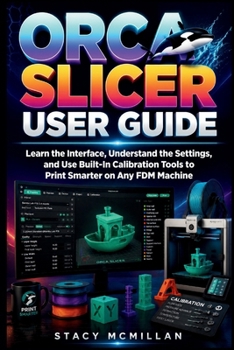
Orca Slicer User Guide: Learn the Interface, Understand the Settings, and Use Built-In Calibration Tools to Print Smarter on Any FDM Machine
No Customer Reviews

Why do Orca Slicer settings, profiles, and calibration tools still feel confusing when you are trying to get reliable FDM prints?
Many users struggle with failed first layers, poor adhesion, stringing, warped corners, and inconsistent results across different filament types. The problem often starts in the slicer. Wrong profiles, unclear settings, and missing calibration steps lead to wasted time, failed prints, and frustration. Even when the printer hardware is fine, unclear configuration inside the software creates avoidable errors that are hard to trace. This book gives you a structured way to work inside Orca Slicer. You learn how the interface is organised, how printer and filament profiles interact, and how each slicing setting affects real print results. It also shows how to prepare models, apply supports, manage build plates, and use built-in calibration tools to tune flow, temperature, and retraction. Everything is explained in a practical order so you can apply it step by step. You are guided through real workflows, supported by clear explanations, diagrams, interface breakdowns, checklists, and troubleshooting examples. You also get structured guidance for previewing slices, checking errors before printing, and improving consistency across different machines and materials. This is not a theory-heavy manual. It is built for action. What's insideFull walkthrough of the Orca Slicer interface and workspacePrinter setup, custom profiles, and configuration managementFilament profiles for PLA, PETG, ABS, TPU, and moreCore slicing settings including layers, infill, walls, and speedsSupports, adhesion tools, and special structure controlsBuilt-in calibration tools for flow, temperature, and retraction3D model preparation, scaling, and build plate organisationPreview tools for detecting errors before printing startsWorkflow for slicing, exporting G-code, and network printingTroubleshooting guide for common print failuresPrint farm workflow with multi-printer managementReference library setup for reusable profiles and test projectsChecklists and structured steps for consistent print preparation
Who is this guide for?
By the end of this guide, you will be able to:
You will move from uncertain settings to a structured slicing process you can repeat across different projects and materials. Each section builds practical understanding you can apply directly every time.
Get your copy today and start building consistent, reliable 3D prints with a clear and structured slicing workflow.
Format:Paperback
Language:English
ISBN:B0H6R3TS14
ISBN13:9798184463520
Release Date:June 2026
Publisher:Independently Published
Length:308 Pages
Weight:0.91 lbs.
Dimensions:0.7" x 6.0" x 9.0"
Customer Reviews
0 rating
Copyright © 2026 Thriftbooks.com
Terms of Use | Privacy Policy | Do Not Sell/Share My Personal Information | Cookie Notice | Cookie Preferences | Accessibility Statement
ThriftBooks ® and the ThriftBooks ® logo are registered trademarks of Thrift Books Global, LLC
ThriftBooks ® and the ThriftBooks ® logo are registered trademarks of Thrift Books Global, LLC
