


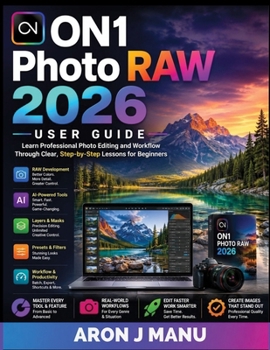
ON1 Photo RAW 2026 U S E R G U I D E: Learn Professional Photo Editing and Workflow Through Clear, Step-by-Step Lessons for Beginners

Master ON1 Photo RAW 2026 Without the Confusion
Have you opened ON1 Photo RAW 2026 and wondered where to begin?
With its powerful RAW tools, AI features, masks, layers, filters, and advanced editing controls, getting started can feel overwhelming. ON1 Photo RAW 2026 User Guide gives you a clear, practical path from the basics to a confident, professional editing workflow.
Whether you're a beginner, hobbyist, content creator, or photographer moving from Lightroom or Capture One, this guide helps you understand not just what each tool does, but when and why to use it.
Inside, you'll learn how to:
Set up and organize your photo library efficientlyMaster RAW processing, exposure, color, detail, and lens correctionsCreate precise edits using masks, layers, and local adjustmentsUse AI tools for noise reduction, masking, sky replacement, upscaling, and portrait enhancementRetouch images and create polished creative looksBuild presets and batch-process large collections efficientlyPrepare and export images for web, social media, and professional printingIntegrate ON1 with Lightroom, Photoshop, Capture One, and other creative toolsDevelop workflows for landscapes, portraits, weddings, wildlife, travel, street, commercial, and moreBuild a complete, repeatable editing workflow from import to final exportYou'll also get practical shortcuts, power-user tips, and troubleshooting guidance to help you work faster and overcome common problems.
Stop guessing. Stop jumping between scattered tutorials. Start editing with clarity, control, and confidence.
Whether you're editing your first RAW file or refining a professional workflow, this guide gives you the knowledge and direction to get more from ON1 Photo RAW 2026-and more from every photograph you create.
Start your journey today and take your photo editing to the next level.
ADD TO CART NOWCustomer Reviews
ThriftBooks ® and the ThriftBooks ® logo are registered trademarks of Thrift Books Global, LLC
