


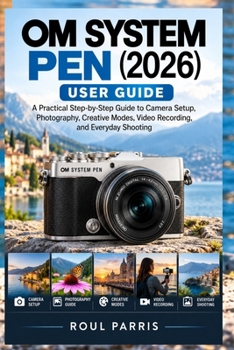
OM SYSTEM PEN (2026) User Guide: A Practical Step-by-Step Guide to Camera Setup, Photography, Creative Modes, Video Recording, and Everyday Shooting

Get More from Your OM SYSTEM PEN (2026)-Even If You're New to Photography
Have you recently purchased an OM SYSTEM PEN and want to understand how to use it with confidence? Are you struggling to make sense of the camera's controls, focus settings, creative modes, or video options? You don't have to figure everything out through trial and error.
The OM SYSTEM PEN (2026) User Guide is a practical, step-by-step resource designed to help you understand your camera, take better photographs, explore creative features, and record videos with greater confidence. Whether you are a complete beginner or moving beyond smartphone photography, this guide helps you build your skills one step at a time.
Inside this practical guide, you will discover how to:
- Set Up Your Camera Correctly: Learn the essentials of battery installation, lens attachment, memory cards, initial setup, image quality, and your first photograph.
- Understand the Essential Controls: Explore the camera's buttons, dials, touchscreen, shooting modes, focus controls, and viewfinder functions so you can work more confidently.
- Take Sharper, Better-Exposed Photos: Understand aperture, shutter speed, ISO, autofocus, exposure compensation, and image stabilisation, with practical guidance for everyday shooting.
- Photograph People, Pets, Travel, and Everyday Scenes: Learn how to approach portraits, moving subjects, landscapes, close-ups, indoor scenes, and challenging lighting conditions.
- Explore Colour Profiles and Creative Photography: Understand colour and monochrome looks, adjust your creative style, and learn the differences between JPEG and RAW files.
- Make Better Use of Creative Camera Features: Explore computational photography options, including high-resolution shooting, motion effects, focus stacking, HDR, and multiple exposure, while learning when each technique is appropriate.
- Record Videos with Greater Confidence: Learn about video settings, frame rates, recording, vertical video, external microphone connections, sound, exposure, and stability.
- Connect Your Camera to Your Smartphone: Understand wireless pairing, photo and video transfers, remote shooting, and the practical use of the OM Image Share app.
- Manage Your Photos and Camera Files: Learn how to transfer files to a computer, use compatible software, organise your images, and create reliable backups.
- Personalise Your Shooting Workflow: Develop practical settings for different situations, improve your everyday camera routine, and balance image quality with convenience and storage needs.
- Troubleshoot Common Problems: Find practical steps for addressing camera startup issues, memory card errors, blurry photographs, exposure problems, video difficulties, and smartphone connection failures.
A Practical Guide for Everyday Use
You do not need to master every camera setting at once. The key is to understand the controls that matter, practise them in real situations, and gradually build a workflow that suits your photography.
With clear explanations and practical instructions, this guide is designed to help you move from simply owning your camera to using it more effectively. Keep it nearby as a reference when setting up your equipment, trying a new feature, preparing for a trip, or solving a problem.
Whether you want to capture family moments, photograph your travels, experiment with creative effects, or begin recording better videos, the goal is simple: help you get more from your camera and enjoy the process of learning photography.
Take the next step towards more confident photography. Scroll up and click "Buy Now" to begin exploring your OM SYSTEM PEN (2026).
Customer Reviews
ThriftBooks ® and the ThriftBooks ® logo are registered trademarks of Thrift Books Global, LLC
