


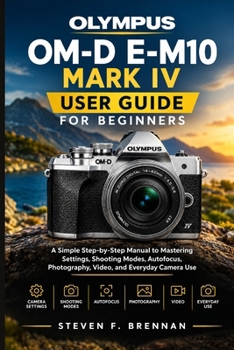
Olympus Om-D E-M10 Mark IV User Guide for Beginners: A Simple Step-by-Step Manual to Mastering Settings, Shooting Modes, Autofocus, Photography, Video

This book is an independent educational resource and is not affiliated with, endorsed by, sponsored by, or officially connected with Olympus Corporation or OM Digital Solutions Corporation. It is provided for educational and informational purposes only.
A Simple Step-by-Step Manual to Mastering Settings, Shooting Modes, Autofocus, Photography, Video, and Everyday Camera Use
Ready to stop guessing your way through camera settings and start getting more from your Olympus OM-D E-M10 Mark IV?
Whether you have just purchased your camera, upgraded from smartphone photography, or simply want to understand its features with greater confidence, this practical user guide is designed to make the learning process simple, clear, and approachable.
Instead of overwhelming you with complicated technical language, this guide takes you through the camera step by step, helping you understand what the controls do, how important settings affect your images, and how to apply what you learn in real shooting situations.
INSIDE THIS BEGINNER-FRIENDLY USER GUIDE, YOU'LL DISCOVER:
Get familiar with your camera - Understand the body, buttons, dials, touchscreen, menus, viewfinder, and essential controls.Set up your camera correctly - Learn how to install the battery and memory card, attach lenses, and complete the initial setup.Understand essential camera settings - Explore image quality, file formats, ISO, white balance, exposure, metering, and image stabilization.Master shooting modes - Learn when and how to use Auto, Scene, Advanced Photo, Program, Aperture Priority, Shutter Priority, and Manual modes.Improve your autofocus skills - Understand focus areas, autofocus modes, subject tracking, and ways to achieve sharper photographs.Take control of exposure - Learn how aperture, shutter speed, and ISO work together to influence brightness and creative results.Take better photographs - Explore composition, framing, perspective, portraits, landscapes, low-light scenes, and moving subjects.Explore creative features - Discover Art Filters, creative shooting options, special functions, and control customization.Get started with video - Learn the fundamentals of video recording, resolution, frame rates, focus, exposure, stability, and everyday video shooting.Manage your photos and videos - Review, protect, delete, organize, and perform basic in-camera editing of your files.Use connectivity features - Learn about wireless image transfers, smartphone connections, remote shooting, and sharing.Troubleshoot common problems - Find practical guidance for common power, memory card, focus, exposure, image, video, and error-message issues.WHY THIS GUIDE BELONGS IN YOUR CAMERA BAG
This educational user guide is structured to help you progress from basic camera operation toward greater creative confidence. You can read it from beginning to end as a learning course or return to individual sections whenever you need a quick refresher.
Whether you're photographing family moments, traveling, experimenting with portraits, capturing landscapes, exploring low-light photography, or beginning to create videos, the goal is to help you become more comfortable with your camera and make more informed shooting decisions.
Stop feeling overwhelmed by buttons, menus, and settings. Start understanding your camera and discovering what you can create with it.
Pick up your Olympus OM-D E-M10 Mark IV, follow the steps, practice as you go, and build your photography skills one shot at a time.
Get your copy today and start making the most of your camera
Customer Reviews
ThriftBooks ® and the ThriftBooks ® logo are registered trademarks of Thrift Books Global, LLC
