


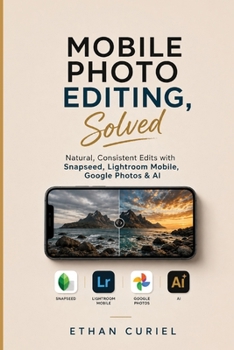
Mobile Photo Editing, Solved: Natural, Consistent Edits with Snapseed, Lightroom Mobile, Google Photos & AI

Most people don't need a better camera. They need to know what's actually wrong with the photo they already took.
You've followed the tutorials. You've dragged the sliders. And the result still looks a little flat, a little fake, or just off-and you're not sure why, or which tool would have done it better.
Mobile Photo Editing, Solved teaches a different skill: how to look at a photo, diagnose the real problem, and fix it with confidence-in Snapseed, Lightroom Mobile, Google Photos, or an AI tool-using the FOCUS system:
Find the problem before touching a single controlOptimize light and color in the right orderControl attention so the eye goes where you want it toUnify your style so photos look like they belong togetherScrutinize the result before you share itInside, you'll learn how to:
Correct exposure, white balance, and color with greater confidenceChoose the right editing app instead of guessing or switching between tools at randomEdit portraits, landscapes, food, travel, product, and night photos without over-processing themWork with RAW on your phone and understand when it is worth usingUse AI removal and generative tools while recognizing artificial-looking resultsBuild a consistent visual style across an entire set of photosExport your finished images appropriately for sharing and other usesThis is a practical, text-only guide built around real editing decisions-not app trivia. Because it teaches the judgment behind the tools, its core principles remain useful even as individual app interfaces change.
If you edit photos on your phone and want results that look intentional rather than over-edited, Mobile Photo Editing, Solved gives you a system you can actually use.
Customer Reviews
ThriftBooks ® and the ThriftBooks ® logo are registered trademarks of Thrift Books Global, LLC
