


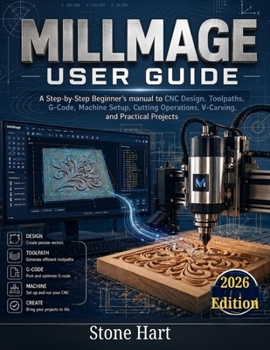
Millmage User Guide: A Step-by-Step Beginner's Manual to CNC Design, Toolpaths, G-Code, Machine Setup, Cutting Operations, V-Carving, and Practical Pr

Are you ready to turn your CNC ideas into accurate, professional projects without feeling overwhelmed by complicated software, confusing toolpath settings, or technical CNC terminology?
MillMage User Guide is a practical, beginner-friendly handbook designed to help you understand and use MillMage for CNC design, CAM, toolpath creation, G-code generation, machine setup, and real-world routing projects.
Whether you are completely new to CNC machining, moving from LightBurn into CNC routing, setting up your first CNC router, or looking for a clearer way to manage your cutting workflow, this guide walks you through the entire process in a simple, structured, and practical way.
Instead of simply explaining buttons and menus, this book shows you how the complete workflow fits together-from creating or importing a design to selecting cutting tools, assigning machining operations, previewing toolpaths, setting work zero, generating G-code, and safely running your CNC job.
Inside This Guide, You Will Learn How To:Install and set up MillMage on your computer
Understand the MillMage interface and complete CNC workflow
Connect and configure compatible CNC machines
Create, open, save, and organize MillMage projects
Understand CNC coordinates, machine zero, work zero, and probing
Create shapes, paths, text, and CNC-ready designs
Import SVG, DXF, AI, and PDF artwork
Edit and repair vector designs before machining
Build and manage a practical CNC Tool Library
Choose end mills, V-bits, engraving bits, ball-nose tools, and surfacing cutters
Understand feed rate, plunge rate, spindle speed, stepdown, and stepover
Create Profile, Pocket, Rest Pocket, Drill, Bore, Chamfer, Dogbone, Surfacing, Face, and Fluting operations
Add tabs and prepare parts for secure machining
Generate and inspect CNC toolpaths before cutting
Understand G-code without needing to become a programmer
Export G-code for compatible CNC machines
Set up material and workholding correctly
Set X, Y, and Z work zero accurately
Start, pause, monitor, and safely complete CNC jobs
Troubleshoot common MillMage, toolpath, connection, and cutting problems
Improve cut quality and reduce wasted material
Explore advanced MillMage features such as V-carving, relief carving, nesting, and multi-tool workflows
Learn Through Practical CNC ProjectsThis guide goes beyond theory by helping you apply what you learn to realistic CNC projects.
You will work through practical examples such as:
A first CNC profile cut
A recessed wooden tray
An engraved nameplate
CNC joinery using dogbone corners
A multi-tool machining project
These projects help reinforce the skills needed to plan, prepare, machine, and finish your own CNC creations.
Designed for Beginners, Makers, and WoodworkersThis book is ideal for:
MillMage beginners
CNC router beginners
Hobby CNC users
Woodworkers
Sign makers
DIY makers
LightBurn users moving into CNC machining
Small CNC workshop owners
By the end of this guide, you will understand how to move confidently through the full process:
Design → Tool Selection → Machining Operations → Toolpaths → G-Code → Machine Setup → Work Zero → Cutting → Inspection
.
Customer Reviews
ThriftBooks ® and the ThriftBooks ® logo are registered trademarks of Thrift Books Global, LLC
