


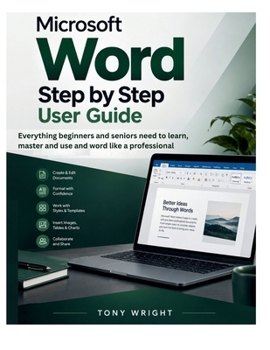
MICROSOFT WORD Step-by-Step User Guide: Everything Beginners and Seniors Need to Learn, Master and Use MS Word Like a Professional

Master Microsoft Word and Create Anything You Want, From Simple Documents to Professional Designs
Microsoft Word can do far more than most people ever use it for. Whether you are just getting to know it, you have been using the basics for years and are ready to go further, or you have hit walls that slowed you down and want a clear guide to push past them, this book meets you where you are and takes you all the way to confident, professional use.
It is built to carry a complete beginner or an older reader gently from the very first steps, while giving anyone who already knows their way around the exact skills that separate a casual user from someone who truly commands the program.
By the end you will be able to sit down at a blank page and build almost anything Word is capable of, quickly and correctly.
INSIDE THIS BOOK YOU WILL GET TO:
Open, set up, and move around Word with total confidence, so nothing on the screen ever leaves you guessing againFormat text, pages, and whole documents to a professional standard that makes your work look polished and intentionalUse styles, themes, and templates to build documents once and reuse them forever, staying consistent across two pages or two hundredOrganize information into clean tables and turn plain data into something anyone can read at a glanceAdd and edit pictures, shapes, icons, and diagrams, then design real flyers, brochures, and newsletters from a blank page to a finished pieceBuild long documents with automatic contents pages, references, citations, and an index that update themselvesWork on the same document with other people, tracking every change and never losing a single editProduce hundreds of personalized letters, labels, and emails in a single click with mail mergeSpeed up everything you do with shortcuts, automation, and the quiet habits of fast, confident usersFix the problems that eventually trip everyone up, calmly and on your ownBONUS
You also get complete, step-by-step design projects built right into the book, a full flyer, a folded brochure, and a multi-column newsletter, each walked through from the empty page to the finished result, plus a practical set of keyboard shortcuts and pro habits you can start using the same day.
This guide is written in plain, simple language with clear steps you can follow along with, whether you are picking up Word for the first time, helping an older parent get comfortable, or finally deciding to use it the way professionals do. You get the how and the why, so the skills actually stick fast.
CLICK THE BUY NOW BUTTON TO GRAB A COPY & GET STARTED
Customer Reviews
ThriftBooks ® and the ThriftBooks ® logo are registered trademarks of Thrift Books Global, LLC
