


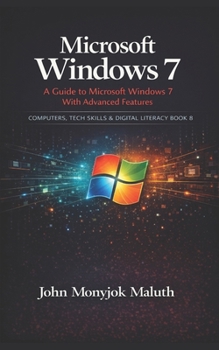
Microsoft Windows 7: A Guide to Microsoft Windows 7 with advanced features
No Customer Reviews

Microsoft Windows 7 is still used in many homes, schools, and offices. But many users only learn Windows through trial and error, which leads to slow PCs, messy storage, broken settings, and panic when something goes wrong.
This book is a beginner-friendly, step-by-step guide that teaches you how to use Windows 7 with confidence. It starts with the basics, then builds your skills in a practical order: installing or upgrading, daily use, Control Panel features, accessibility tools, performance checks, cleanup, updates, and troubleshooting. You will learn how to handle the problems beginners actually face, using Windows built-in tools first, and clear decision rules that keep you from breaking the system. Inside, you will learn how to: Identify your Windows 7 edition and system type, and prepare for installation or upgradeInstall Windows 7 cleanly, set it up properly, and complete the first tasks after installationUse the desktop, Start menu, taskbar, and file system the right wayManage programs safely, uninstall without breaking core components, and control Windows featuresSet time zones, multiple clocks, keyboard languages, and regional formats correctlyUse Ease of Access features to make Windows easier for eyesight, hearing, mobility, and typingRead basic performance signals, then apply the right fix instead of guessingFree space with Disk Cleanup, understand what is safe to remove, and avoid risky cleanup habitsDefragment traditional hard drives correctly, schedule it, and know when not to defragmentFollow a troubleshooting playbook for slow PCs, network issues, printers, devices, and driversUse optional third-party help carefully, only when Windows tools are not enough
If you want a Windows 7 guide that speaks clearly, respects beginners, and focuses on the skills you will use every day, this book is for you.
Format:Paperback
Language:English
ISBN:1728771579
ISBN13:9781728771571
Release Date:October 2018
Publisher:Independently Published
Length:178 Pages
Weight:0.40 lbs.
Dimensions:0.4" x 5.0" x 8.0"
Customer Reviews
0 rating
Copyright © 2026 Thriftbooks.com
Terms of Use | Privacy Policy | Do Not Sell/Share My Personal Information | Cookie Policy | Cookie Preferences | Accessibility Statement
ThriftBooks ® and the ThriftBooks ® logo are registered trademarks of Thrift Books Global, LLC
ThriftBooks ® and the ThriftBooks ® logo are registered trademarks of Thrift Books Global, LLC
