


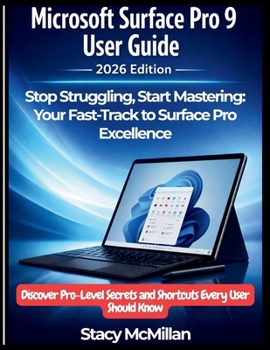
Microsoft Surface Pro 9 User Guide - 2026 Edition: Stop Struggling, Start Mastering: Your Fast-Track to Surface Pro Excellence - Discover Pro-Level Se
No Customer Reviews

Why does your Surface Pro 9 feel like it's holding back-even though you know it can do so much more? You didn't buy a premium device just to struggle with basic tasks, drain the battery by noon, or wonder why that pen isn't working right. You invested in Microsoft's flagship 2-in-1 because you wanted freedom, power, and versatility. But somewhere between the sleek hardware and Windows 11's endless menus, that promise got lost. This is where everything changes.
This isn't another generic manual filled with corporate jargon and outdated screenshots. This is your personal mentor-a step-by-step companion that takes you from frustrating confusion to absolute mastery. Every page transforms how you work, create, and connect with your Surface Pro 9 in 2026. You'll find crystal-clear instructions paired with visual aids and real-world examples that make complex features feel simple. From unboxing to advanced workflows, this guide covers it all. Discover hidden shortcuts that save hours weekly, battery secrets that extend your workday, and pro-level pen techniques that turn your device into a creative powerhouse.
Here's what makes this different: it's built for 2026, not 2022. This reflects today's software, challenges, and opportunities. Every Windows 11 feature, firmware update, and essential app-it's all here. What's Inside: Complete hardware mastery-kickstand to USB-C configurationsSurface Pen excellence for artists and note-takersBattery optimization for all-day performanceType Cover secrets and productivity shortcutsDisplay calibration for accurate, eye-strain-free workSecurity that protects without slowing you downProductivity systems with OneNote, Office 365, cloud storageTroubleshooting for flickering, pen lag, WiFi drops, overheatingRemote work, creative workflows, student and business setupsAdvanced Windows 11 customizationHidden features Microsoft never advertised
Who's This Guide For: Complete beginners needing confident guidanceFrustrated users tired of endless forum searchingCreative professionals demanding precisionStudents needing organization systemsBusiness users requiring security and mobilityRemote workers building professional home officesTech enthusiasts extracting maximum capabilityPower users ready for advanced techniques
By the End, You'll: Navigate Windows 11 with complete confidenceTroubleshoot issues yourself, saving hoursCustomize everything to your workflowMaximize battery without sacrificing performanceCreate professional content with existing toolsSecure your device with enterprise-level protectionWork productively from anywhereMaintain peak performance long-term
This guide teaches you to think like someone who's mastered their Surface. You'll understand the "why" behind every setting and the strategy behind every optimization. Chapters flow logically, mirroring your journey. Start from the beginning or jump to specific sections-find answers that respect your time.
Your Surface Pro 9 is a mature device with known quirks and established workarounds. This guide addresses everything honestly, helping you maximize your investment while planning intelligently for the future. Stop settling for a fraction of what your Surface Pro 9 can do. Grab your copy now and transform from frustrated user to confident expert.
This isn't another generic manual filled with corporate jargon and outdated screenshots. This is your personal mentor-a step-by-step companion that takes you from frustrating confusion to absolute mastery. Every page transforms how you work, create, and connect with your Surface Pro 9 in 2026. You'll find crystal-clear instructions paired with visual aids and real-world examples that make complex features feel simple. From unboxing to advanced workflows, this guide covers it all. Discover hidden shortcuts that save hours weekly, battery secrets that extend your workday, and pro-level pen techniques that turn your device into a creative powerhouse.
Here's what makes this different: it's built for 2026, not 2022. This reflects today's software, challenges, and opportunities. Every Windows 11 feature, firmware update, and essential app-it's all here. What's Inside: Complete hardware mastery-kickstand to USB-C configurationsSurface Pen excellence for artists and note-takersBattery optimization for all-day performanceType Cover secrets and productivity shortcutsDisplay calibration for accurate, eye-strain-free workSecurity that protects without slowing you downProductivity systems with OneNote, Office 365, cloud storageTroubleshooting for flickering, pen lag, WiFi drops, overheatingRemote work, creative workflows, student and business setupsAdvanced Windows 11 customizationHidden features Microsoft never advertised
Who's This Guide For: Complete beginners needing confident guidanceFrustrated users tired of endless forum searchingCreative professionals demanding precisionStudents needing organization systemsBusiness users requiring security and mobilityRemote workers building professional home officesTech enthusiasts extracting maximum capabilityPower users ready for advanced techniques
By the End, You'll: Navigate Windows 11 with complete confidenceTroubleshoot issues yourself, saving hoursCustomize everything to your workflowMaximize battery without sacrificing performanceCreate professional content with existing toolsSecure your device with enterprise-level protectionWork productively from anywhereMaintain peak performance long-term
This guide teaches you to think like someone who's mastered their Surface. You'll understand the "why" behind every setting and the strategy behind every optimization. Chapters flow logically, mirroring your journey. Start from the beginning or jump to specific sections-find answers that respect your time.
Your Surface Pro 9 is a mature device with known quirks and established workarounds. This guide addresses everything honestly, helping you maximize your investment while planning intelligently for the future. Stop settling for a fraction of what your Surface Pro 9 can do. Grab your copy now and transform from frustrated user to confident expert.
Format:Paperback
Language:English
ISBN:B0GNCYRLF8
ISBN13:9798248238217
Release Date:February 2026
Publisher:Independently Published
Length:370 Pages
Weight:1.89 lbs.
Dimensions:0.8" x 8.5" x 11.0"
Customer Reviews
0 rating
Copyright © 2026 Thriftbooks.com
Terms of Use | Privacy Policy | Do Not Sell/Share My Personal Information | Cookie Notice | Cookie Preferences | Accessibility Statement
ThriftBooks ® and the ThriftBooks ® logo are registered trademarks of Thrift Books Global, LLC
ThriftBooks ® and the ThriftBooks ® logo are registered trademarks of Thrift Books Global, LLC
