


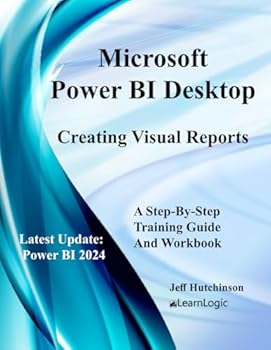
Microsoft Power BI Desktop - Creating Visual Reports
No Customer Reviews

Power BI was built to connect to a wide range of data sources. It enables users to quickly create Visualizations of connected data in order to gain insights, show trends, and create reports. Power BI's data connection capabilities and Visualization features go far beyond those that can be found in spreadsheets. In fact, they enable users to create compelling and interactive worksheets, dashboards, and stories that bring data to life and turn it into thoughtful actions. Obtain Your PDF Copy and Recorded Videos This workbook includes PDF Download and Video Clip of each practice exercise. Refer to the Workbook Introduction for instructions on where to send an Amazon receipt. To see an example clip: www.elearnlogic.com In this course, we will take students through a step-by-step process explaining the Power BI features necessary to build data packed Visual Reports . We will also provide an overview to help students better understand how each component of Power BI fits together including Getting Data , Query Editor , Table View , Relationships , Visual Reports , Formatting , Filtering , Publishing on the Web , and creating a Dashboard . Power BI Tools - The workbook will cover the related tools and downloads including Power BI Desktop , Power BI Pro Web Service , Power BI for Mobile , Power BI Publisher For Excel , Power BI Gateway , and Power BI Report Server. Process Overview - Here, we will take you through the process from Getting Data, Query Editor , Table View , Relationships , Visual Reports , Formatting , Filtering , Publishing on the Web to creating a Dashboard . Visual Report Development - This will generate different reports describing the data from different tables. These reports include Charts , Tables , Summary Information, Maps , etc. Filter Report - Once you create a report, it can be filtered to display the desired information. Format Report - Once you create a report, it can be formatted with many options available. Table View - This will allow you to review structure of the data extracted and add additional fields as needed. Relationships - This will allow multiple tables to be added and related to a data source in order to obtain an accurate result when different fields are used. ***************************************************************************************************************************** What's is in the workbook? Take A Class - When you take a class using the workbook, you will be able to ask questions and gain a deeper understanding of many important concepts. http://www.elearnlogic.com/courseware.html Highly Requested Topics - The following are topics covered in the workbook: Automatically Find Clusters, Edit Interactions, Drill Down for more detail, New Hierarchy, Drill Through, Conditional Formatting, New Group, Visual Report Tab Order, New Modeling View, Data Source Relationships, and the Publishing process. *****************************************************************************************************************************
Format:Paperback
Language:English
ISBN:B0C6BXC9SQ
ISBN13:9798396386051
Release Date:May 2023
Publisher:Independently published
Length:241 Pages
Weight:1.23 lbs.
Dimensions:11.0" x 0.6" x 8.5"
Customer Reviews
0 rating
Copyright © 2026 Thriftbooks.com Terms of Use
| Privacy Policy | Do Not
Sell/Share My Personal Information | Cookie Policy | Cookie Preferences | Accessibility Statement
ThriftBooks® and the ThriftBooks® logo are registered trademarks of Thrift Books Global, LLC
ThriftBooks® and the ThriftBooks® logo are registered trademarks of Thrift Books Global, LLC
