


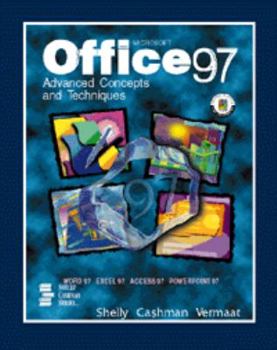
Microsoft Office 97: Advanced Concepts and Techniques (Shelley Cashman Series)


Select Format
Select Condition 
Book Overview
This text and the accompanying software cover advanced concepts and techniques in Microsoft Office 97. Projects featured include: creating a document with tables and a chart; generating form letters,... This description may be from another edition of this product.
Format:Paperback
Language:English
ISBN:0789513358
ISBN13:9780789513359
Release Date:July 1997
Publisher:Course Technology Ptr
Length:872 Pages
Weight:3.70 lbs.
Dimensions:11.0" x 1.0" x 8.3"
Customer Reviews
2 ratings
Lion's House Review
Published by Thriftbooks.com User , 25 years ago
We use this book for our computer courses here at The Lion's House Children's Home. It takes things one step at a time with screen shots and step by step instructions. Basically this book will take someone with little to no computer skills to a point where they can be very proficient with the office suite.
Excellent for a college course
Published by Thriftbooks.com User , 27 years ago
I'm a local college instructor and this book was recommended for the Advanced Software Tools course I just started teaching. Compared with the alternatives I've seen, this book is clearly the best.The focus is on techniques for using the tools, rather than concepts, though they do throw some of that in. The book is project-based, which works very well. Each chapter walks you step-by-step through each screen needed to perform the tasks. Then there's an In The Lab section at the end of each chapter that has you walk through the same techniques, but with different content. It's easy to flip back into the step-by-step of the chapter to look up the button or menu choice needed to perform each In The Lab task.We've only started the semester, but it looks like the book covers each Office tool fairly evenly, with Outlook getting the short end of the stick. There are 3 chapters each on Word, Excel and Access, and only 2 chapters on PowerPoint. At the end of each major section (e.g. Word), there's a mini-chapter called "Integration Feature" which walks you through a small project using features of other Office tools with that section's tool. Very nice.For instructors, there's a separate CD from the publisher that provides answers to multiple-choice questions at the end of each chapter, plus additional lab exercises, samples tests, and even includes the slides for all figures in the book. That part makes life much easier for instructors to build their own presentations without having to generate their own graphics. The instructor CD contains much more, I just haven't gotten into it yet.
Copyright © 2026 Thriftbooks.com Terms of Use
| Privacy Policy | Do Not
Sell/Share My Personal Information | Cookie Policy | Cookie Preferences | Accessibility Statement
ThriftBooks® and the ThriftBooks® logo are registered trademarks of Thrift Books Global, LLC
ThriftBooks® and the ThriftBooks® logo are registered trademarks of Thrift Books Global, LLC
