


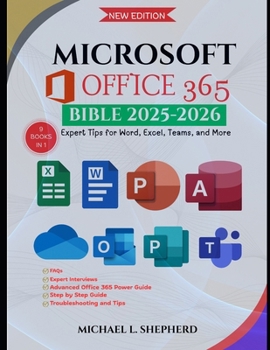
Microsoft Office 365 Bible: Expert Tips for Word, Excel, Teams, and More

Master Office 365 and Take Control of Your Productivity
Are you ready to unlock the full potential of Microsoft Office 365? Struggling to get the most out of Word, Excel, Teams, and other essential apps? Whether you're an experienced user or just getting started, "Microsoft Office 365 Bible: Expert Tips for Word, Excel, Teams, and More" is the ultimate guide to becoming an Office 365 power user.
Have you ever wished you could streamline your workflow, reduce time spent on repetitive tasks, and increase productivity without sacrificing quality?
Do you find yourself lost in the complexity of Office 365, unsure of where to start or how to navigate its vast features?
Are you ready to dive deeper into the advanced tools and settings that make Office 365 the most powerful productivity suite available?
This comprehensive guide provides step-by-step instructions on mastering Microsoft's suite of applications with actionable tips and real-world examples. From creating professional documents in Word to automating tasks in Excel and collaborating seamlessly in Teams, this book covers it all. You'll learn everything from the basics to advanced features to ensure you never feel overwhelmed.
With this book, you'll:
Master essential Microsoft Office apps like Word, Excel, Outlook, and Teams.Learn time-saving automation techniques using Power Automate and Macros.Discover real-world examples that boost collaboration and increase efficiency.Troubleshoot common issues and improve your workflow across all Office 365 tools.This guide isn't just another technical manual-it's your companion on a journey to digital mastery. Say goodbye to confusion and wasted time. Whether you're working solo or as part of a team, the Microsoft Office 365 Bible will empower you to work smarter and more effectively.
Objection Handling:
Worried that it's too technical or difficult to understand? This guide is written in clear, accessible language designed for everyone-from beginners to experts. We've removed jargon and broken down each feature with easy-to-follow steps and practical applications.
Concerned you won't find what you're looking for? With our detailed table of contents and structured approach, you can quickly jump to the exact solutions you need, saving you time and frustration.
Don't just use Office 365-master it. Take control today
Customer Reviews
ThriftBooks ® and the ThriftBooks ® logo are registered trademarks of Thrift Books Global, LLC
