


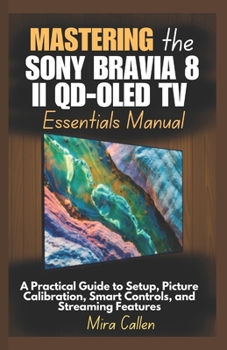
Mastering the Sony Bravia 8 II QD-OLED TV Essentials Manual: A Practical Guide to Setup, Picture Calibration, Smart Controls, and Streaming Features

Get the Most Out of Your Sony Bravia 8 II QD-OLED TV with Ease and Confidence
Whether you're a first-time user or upgrading your home theater setup, this detailed and user-friendly manual walks you through every essential feature of the Sony Bravia 8 II QD-OLED TV. From unboxing and mounting to optimizing picture modes, navigating Google TV, and integrating smart features, this guide simplifies it all.
Mastering the Sony Bravia 8 II QD-OLED TV Essentials Manual is your everyday companion to unlocking the true power of Sony's premium display technology - no tech background required.
What You'll Learn Inside:
Complete first-time setup: mounting, Wi-Fi connection, and remote pairingHow to navigate the Google TV interface and customize your home screenStep-by-step picture calibration for movies, gaming, and everyday contentMastering Acoustic Surface Audio+ and integrating Dolby Atmos sound systemsAccessing popular streaming apps and managing live TV channelsUsing smart features like Google Assistant, Apple AirPlay, and ChromecastSetting up advanced HDMI inputs, screen mirroring, and multi-view functionsManaging parental controls, energy-saving settings, and privacy toolsUpdating software, exploring Bravia Core streaming, and troubleshooting issuesEnabling accessibility options and integrating your TV with a smart home setupWhether you're watching blockbuster films, gaming in HDR, or simply browsing content, this guide provides the tools to personalize, optimize, and future-proof your Sony Bravia 8 II experience.
This book is independently published and is not affiliated with Sony Corporation. All product names and trademarks are the property of their respective owners.
Customer Reviews
ThriftBooks® and the ThriftBooks® logo are registered trademarks of Thrift Books Global, LLC
