


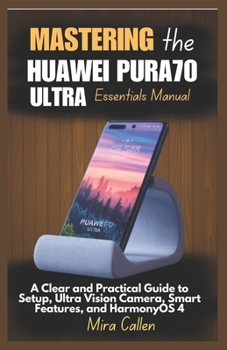
Mastering the Huawei Pura70 Ultra Essentials Manual: A Clear and Practical Guide to Setup, Ultra Vision Camera, Smart Features, and HarmonyOS 4

Discover How to Fully Use Your Huawei Pura70 Ultra - The Smart Way
Whether you're exploring the Pura70 Ultra for its exceptional camera system, cutting-edge HarmonyOS 4, or powerful productivity tools, this easy-to-follow manual gives you the confidence to get started and master every feature.
Mastering the Huawei Pura70 Ultra Essentials Manual is designed for everyday users, beginners, and tech-curious individuals who want a simple and complete walkthrough of the device - without the confusion.
Inside this Complete User Guide:
Step-by-step setup: from unboxing to connecting your mobile networkMaster HarmonyOS 4 gestures, navigation, and smart interface layoutCapture stunning photos with the Ultra Vision Camera and AI featuresExplore 4K video recording, super slow motion, and advanced photo editing toolsBoost productivity with dual apps, split-screen, and multitasking featuresManage performance, battery life, and storage for smoother operationSecure your phone using face unlock, fingerprint ID, and privacy featuresUse Petal apps, themes, customization options, and cloud syncTroubleshoot common problems like app errors, lagging, and connectivity issuesStay updated with system upgrades, backups, and device maintenance tipsWhether you're using your Huawei Pura70 Ultra for work, entertainment, learning, or social media content creation, this guide helps you navigate every feature with confidence.
This is an unofficial guide and is not affiliated with Huawei Technologies Co., Ltd. All product names, logos, and trademarks are the property of their respective owners.
Customer Reviews
ThriftBooks® and the ThriftBooks® logo are registered trademarks of Thrift Books Global, LLC
